ProPR Runs On The AI You Already Pay For, Within A Budget You Set
- Meister Dev Team
- 28 Jul, 2026
Our last release post covered webhook automation and multi-platform coverage. Three months of releases have landed since then. Between them they answer the three questions that decide whether a team adopts AI review at all: what will it cost, can we use the AI we already have, and where does our source code end up.
Run It On The AI You Already Pay For
Most organisations already hold an AI account with a budget attached, and often a negotiated rate. Signing a second contract to get code review is a poor trade, and being stuck with that vendor afterwards is worse.
ProPR now runs on any of them. Azure OpenAI, OpenAI, Anthropic, AWS Bedrock, Google Vertex, and models you host yourself are all first-class options, and none of them sits behind a paid tier of ours. Different teams under one installation can use different providers.
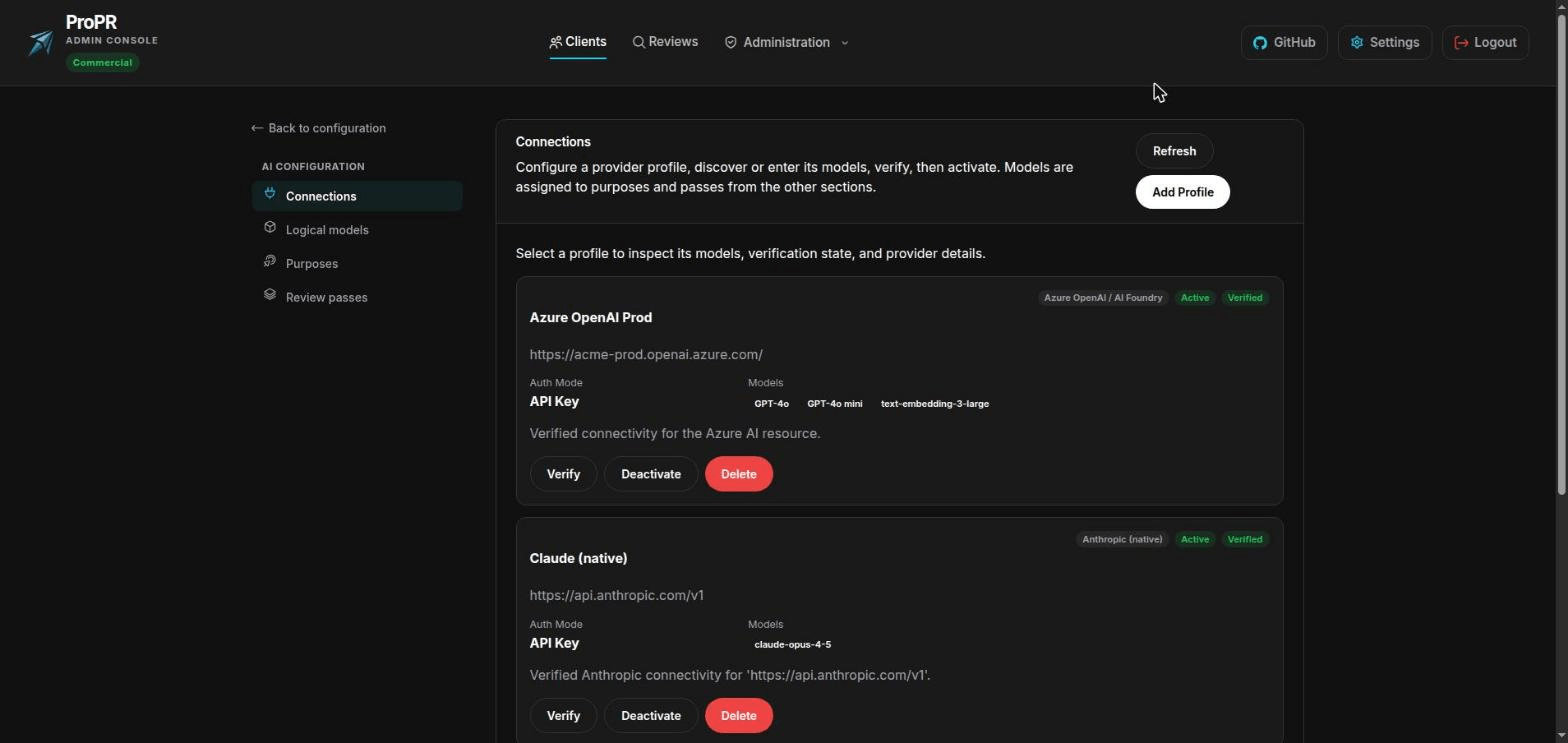
Bring the AI account your organisation already has. One team can run on Azure OpenAI while another runs on Anthropic.
Switching vendors is one setting. Every model ProPR uses is referred to by a name you choose, like deep-review or fast-triage. Repointing that name moves a team to a different provider, and nothing about how their reviews are configured changes with it. When a better model ships or a price drops, taking advantage of it is a two-minute job.
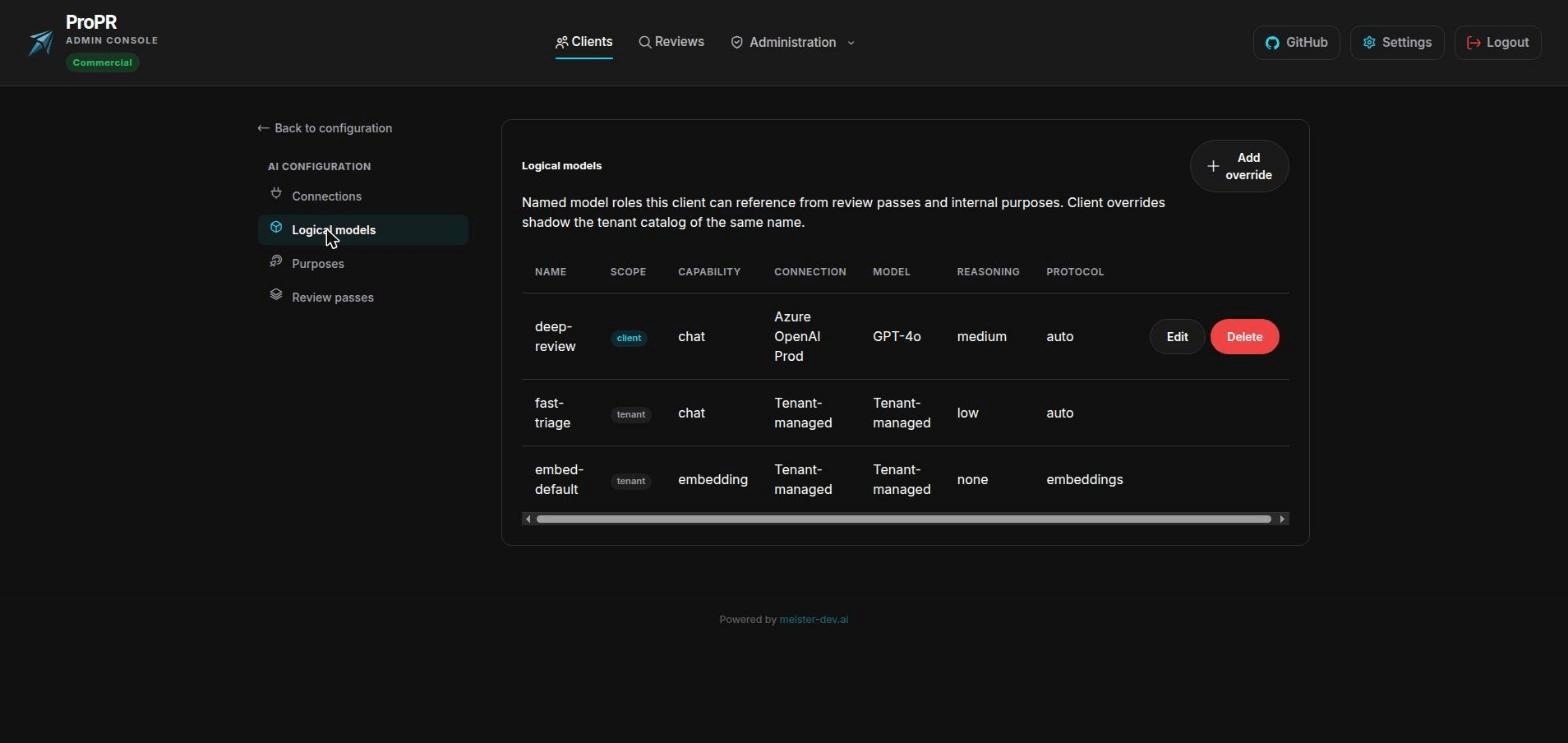
Reviews refer to a name, never a vendor. The same model can back two names at different levels of effort, so you spend deeply only where it changes the answer.
Going direct also tends to cost less than going through a gateway. Reviews send the same standing instructions with every file, and providers charge far less for repeated content they can reuse. Reaching a model through its own service captures that discount. Reaching the same model through a shared gateway generally does not, and for a team reviewing hundreds of files a week that gap is most of the bill.
Budgets ProPR Enforces For You
Adoption tends to stall on the invoice. Review quality is rarely the sticking point; the problem is that nobody can promise finance a number.
ProPR now prices every review as it runs and holds spending to limits you set in advance: a monthly figure, a ceiling for any single pull request, and a ceiling for any single run. A soft limit pauses new reviews until budget frees up. A hard limit stops work already in progress and publishes what it had found by then, so the tokens already spent are not wasted.
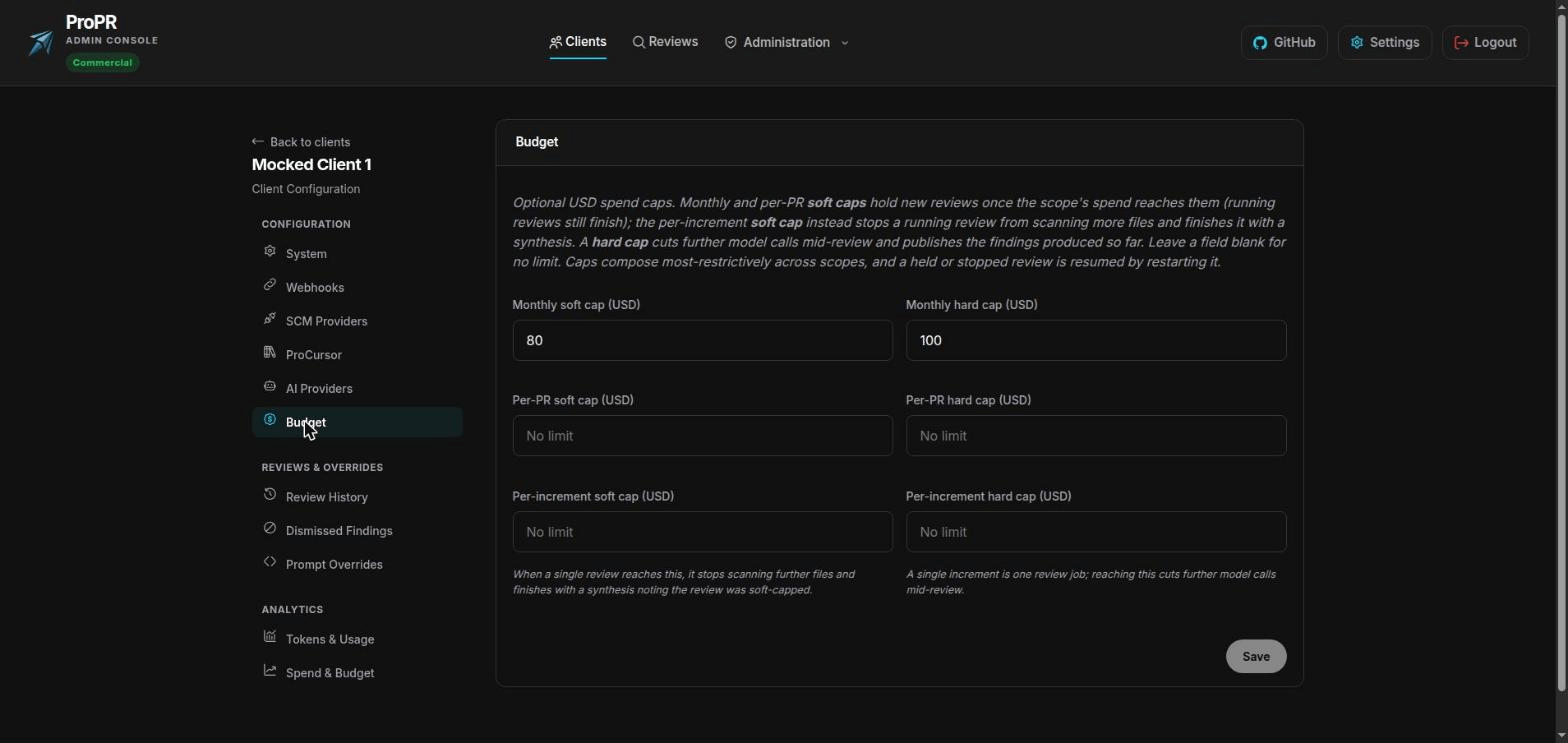
Give a team a number it cannot exceed. Nobody has to supervise it, and a blank field means no limit.
You also get warning before you hit it. Each team has a spend view with the month so far, both limits, and a projection for the rest of the period on one chart, which turns an overrun into something you plan around in week two.
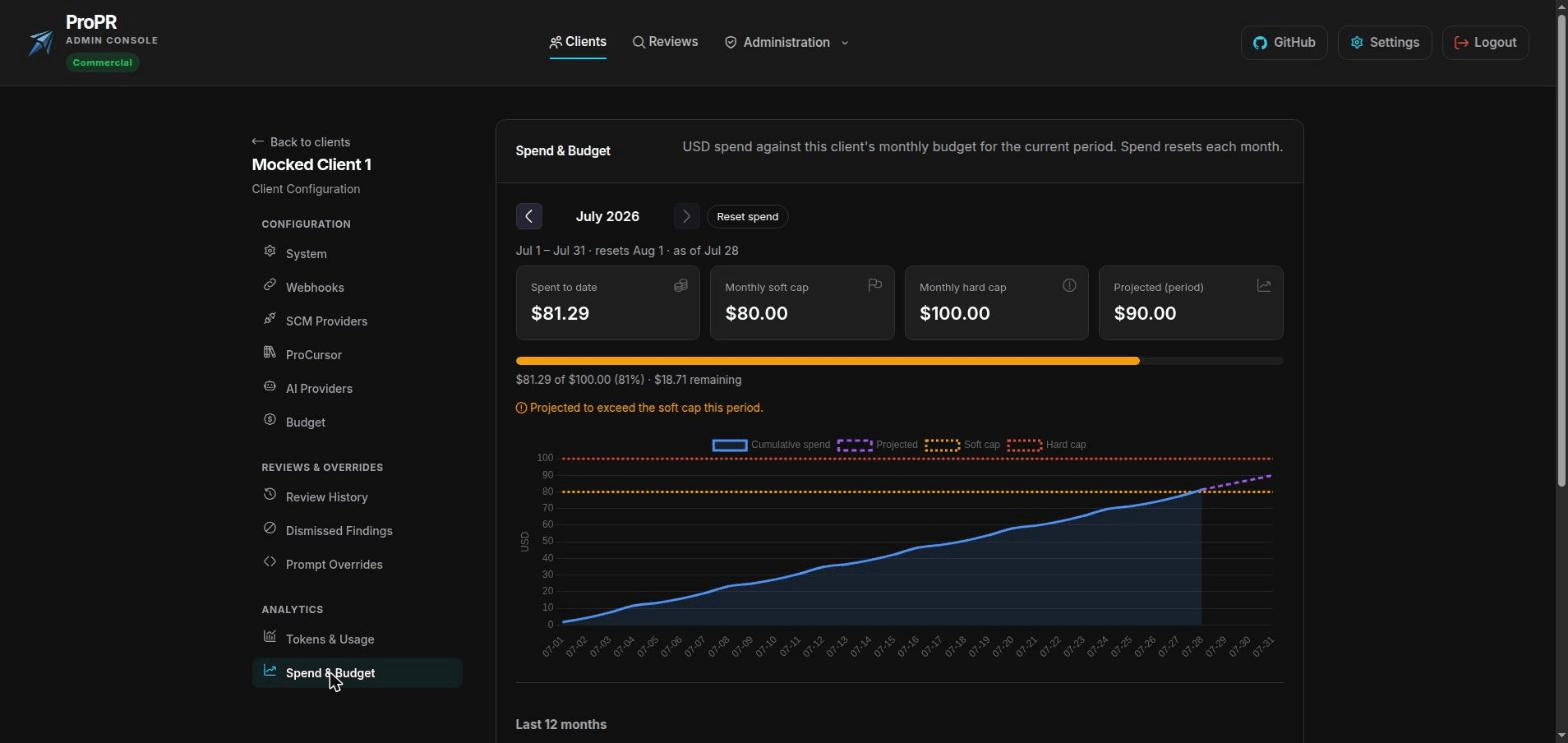
The warning arrives while there is still a month left to act in.
Three things changed underneath so the figures match the invoice. ProPR now ships knowing what the common models cost, so cost reporting works on the day you install it and nobody has to maintain a spreadsheet of token prices. You can enter your negotiated rates, and limits are then enforced against what you are billed. Re-reviews reuse results for files that did not change, so a busy pull request stops paying repeatedly for the same work.
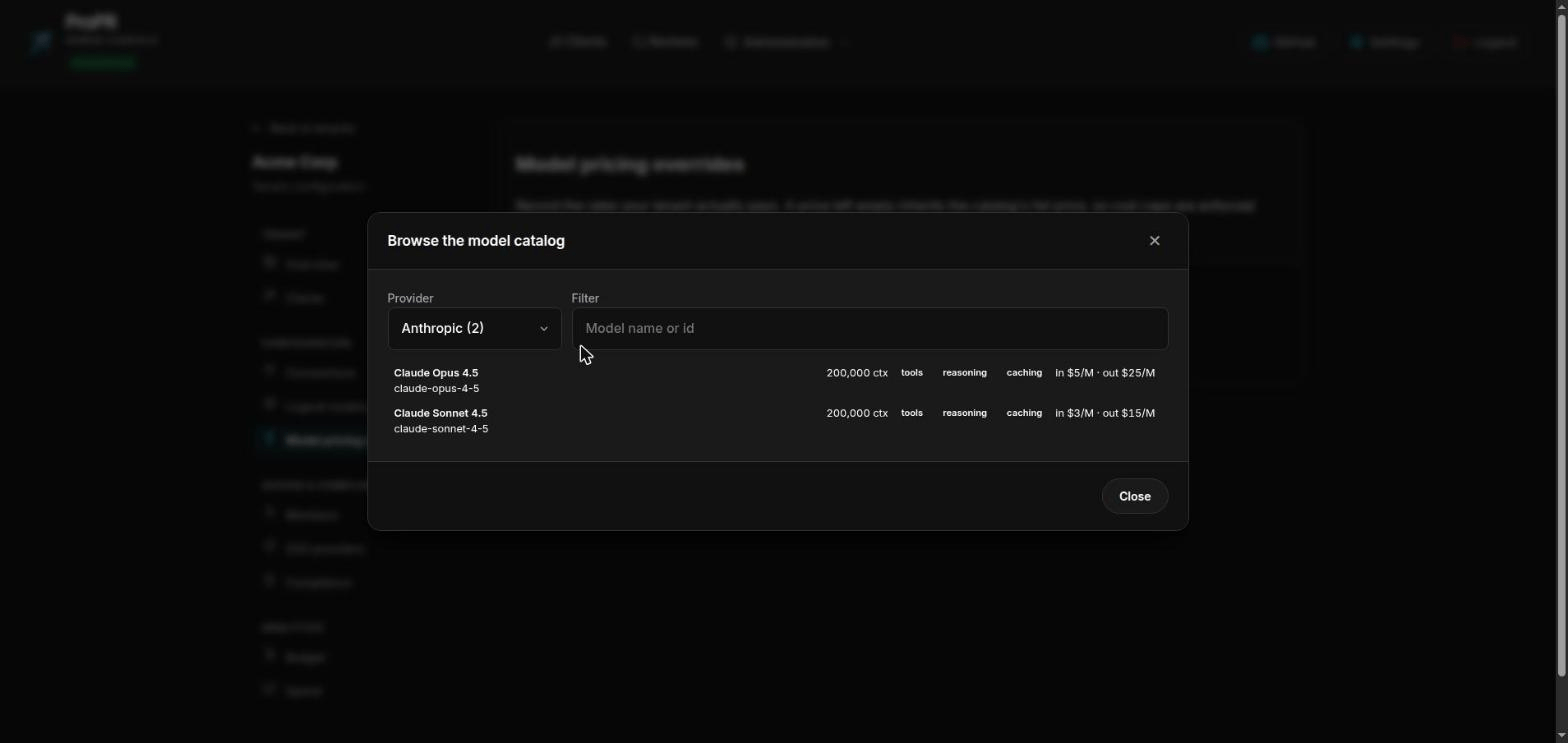
Pick a model and its cost details come with it. Nothing is fetched from the internet to make this work.
Above individual teams, one view totals spend across all of them against their budgets, with a twelve-month trend. It answers what AI review costs the organisation without collecting numbers team by team.
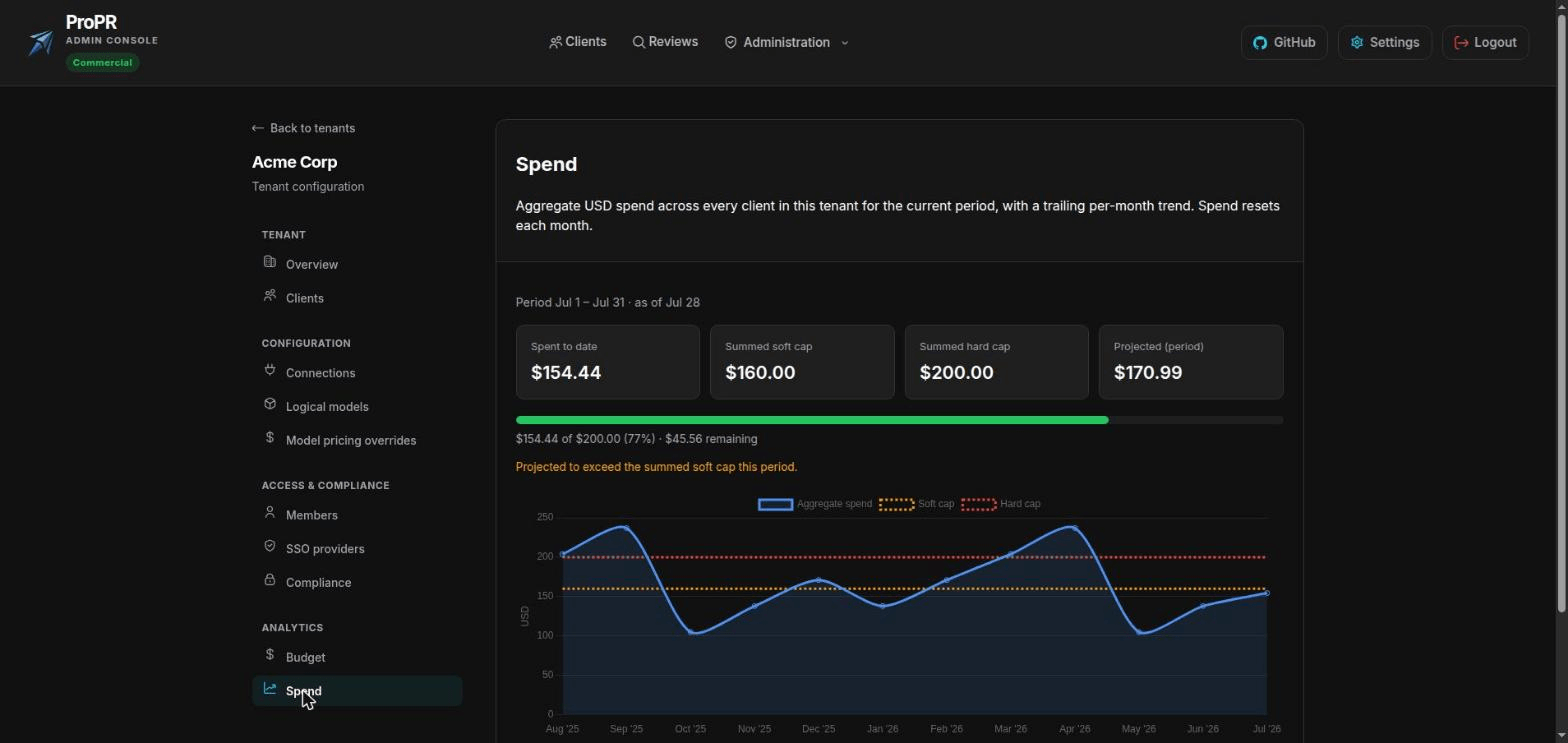
One number for the organisation, and the twelve months behind it.
Deeper Scrutiny Where A Change Is Risky
Reviewing every file to the same depth wastes money on trivia and under-serves the changes that carry real risk. ProPR can now look harder where it matters.
Files that warrant it can be reviewed more than once: from a different angle, on a different model, or with a security specialist’s brief. A security pass runs on files flagged by their path, their content, or their complexity. A separate knowledge pass applies checks derived from CodeQL, and only where they apply.
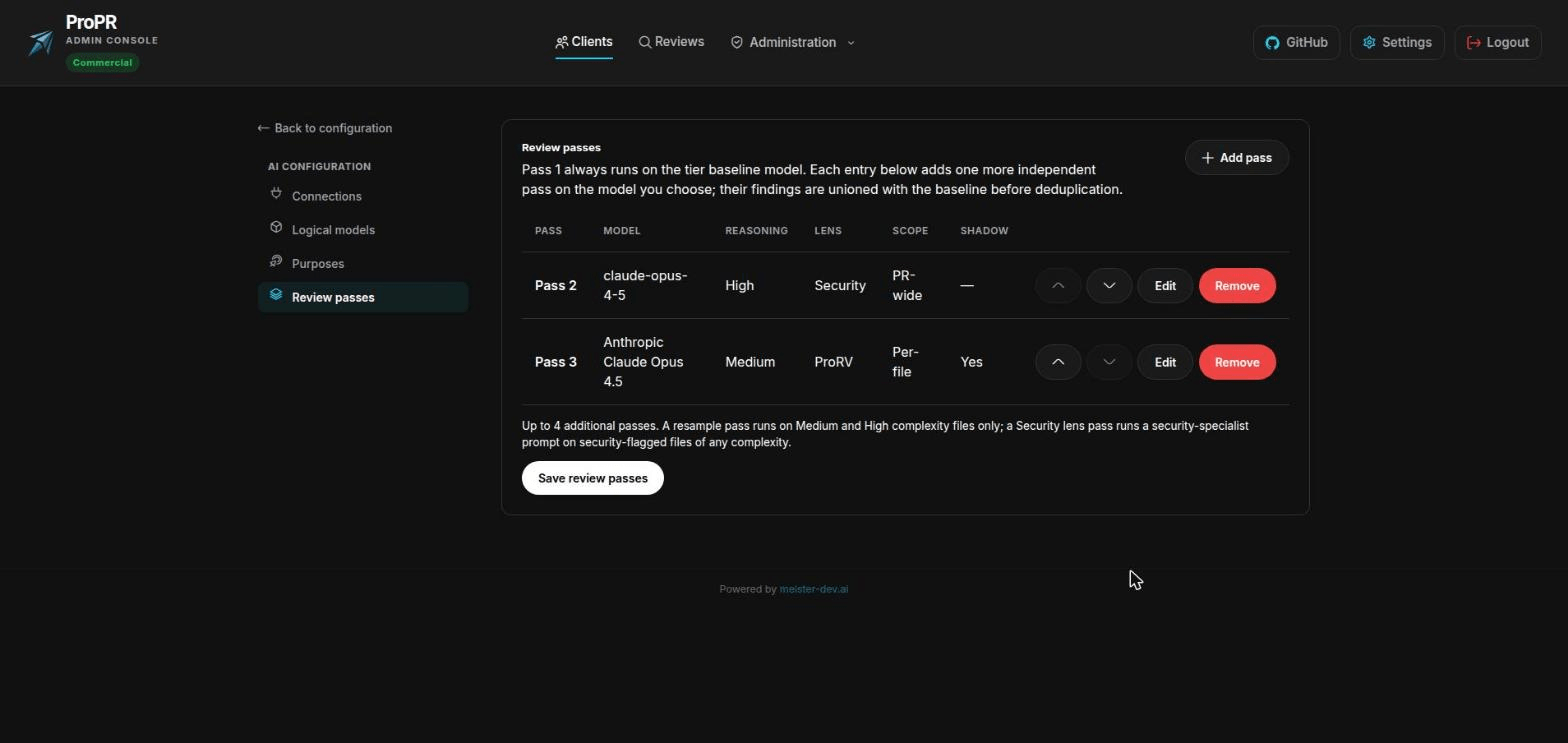
Deeper review where a change is risky, and nothing extra where it is not.
The same mechanism lets you trial a new model on live pull requests without your team seeing a word of it. The trial pass runs in full and records its findings for you to compare, but nothing it produces reaches the pull request and it can never suppress a real finding. Working out whether a newer model earns its price no longer means experimenting on your developers.
A Reviewer Your Team Keeps Reading
An AI reviewer earns attention or gets muted. The two fastest ways to lose it are repeating a point the team already rejected, and asserting something untrue.
Both got direct work this wave. When your team resolves or dismisses a finding, ProPR remembers that decision and will not reopen it in slightly different words on the next push. Findings are also checked against your code before publication: the reviewer can read the code it is commenting on to confirm what it suspects, and anything it cannot support goes into the summary rather than interrupting someone in the diff.
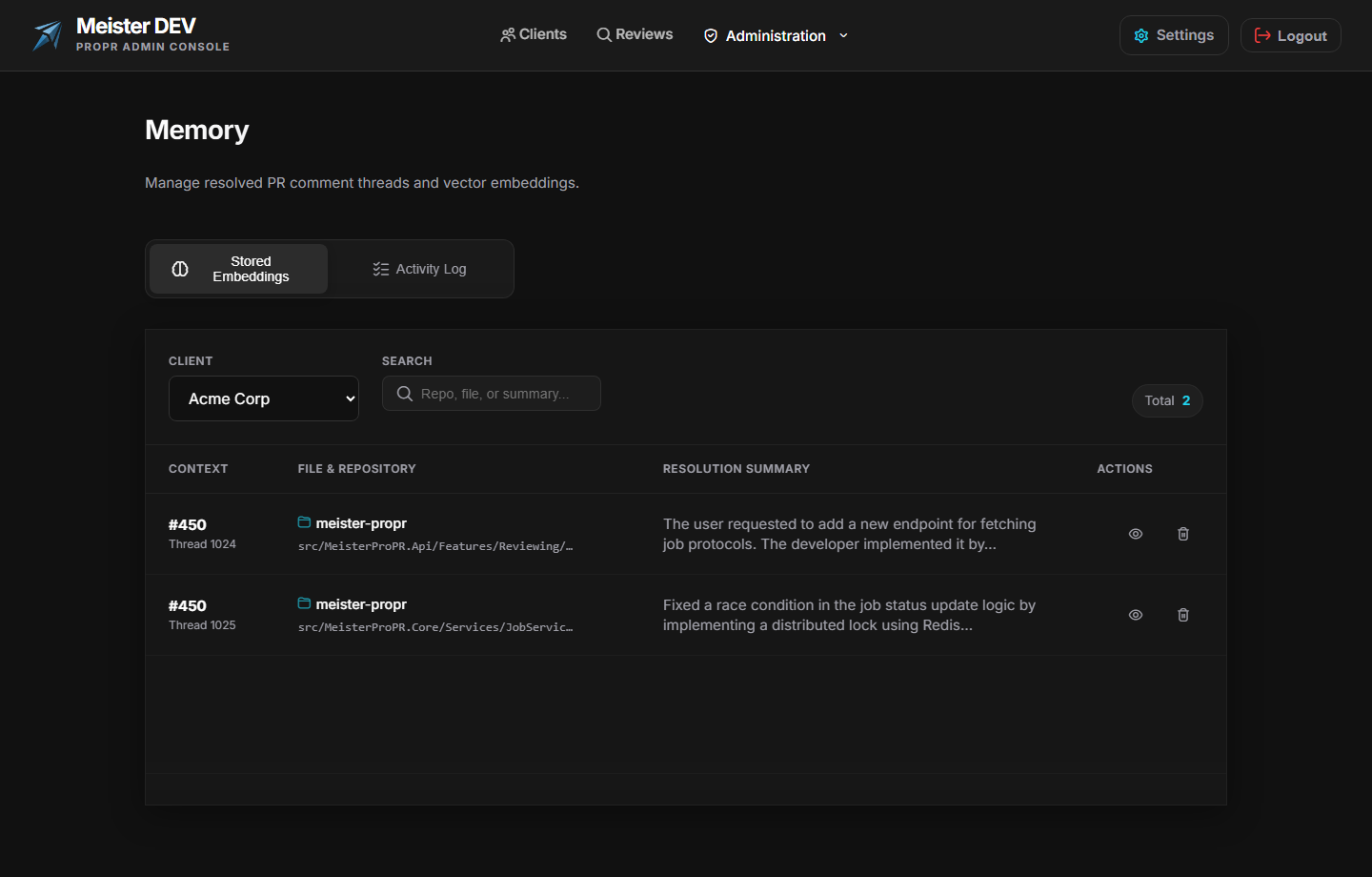
Settled discussions stay settled.
Reviews now see more than the diff. A change is judged against the work item or issue it is linked to, which lets the reviewer say that a change does not do what its ticket asked for. Hedged, vague comments are screened out by meaning instead of by matching English phrases, so behaviour is the same on a codebase whose comments and identifiers are in another language.
If you want to know why a comment appeared, the whole review is on record: what it examined, what it found, what it chose not to post, and what a re-review reused instead of paying to check again.
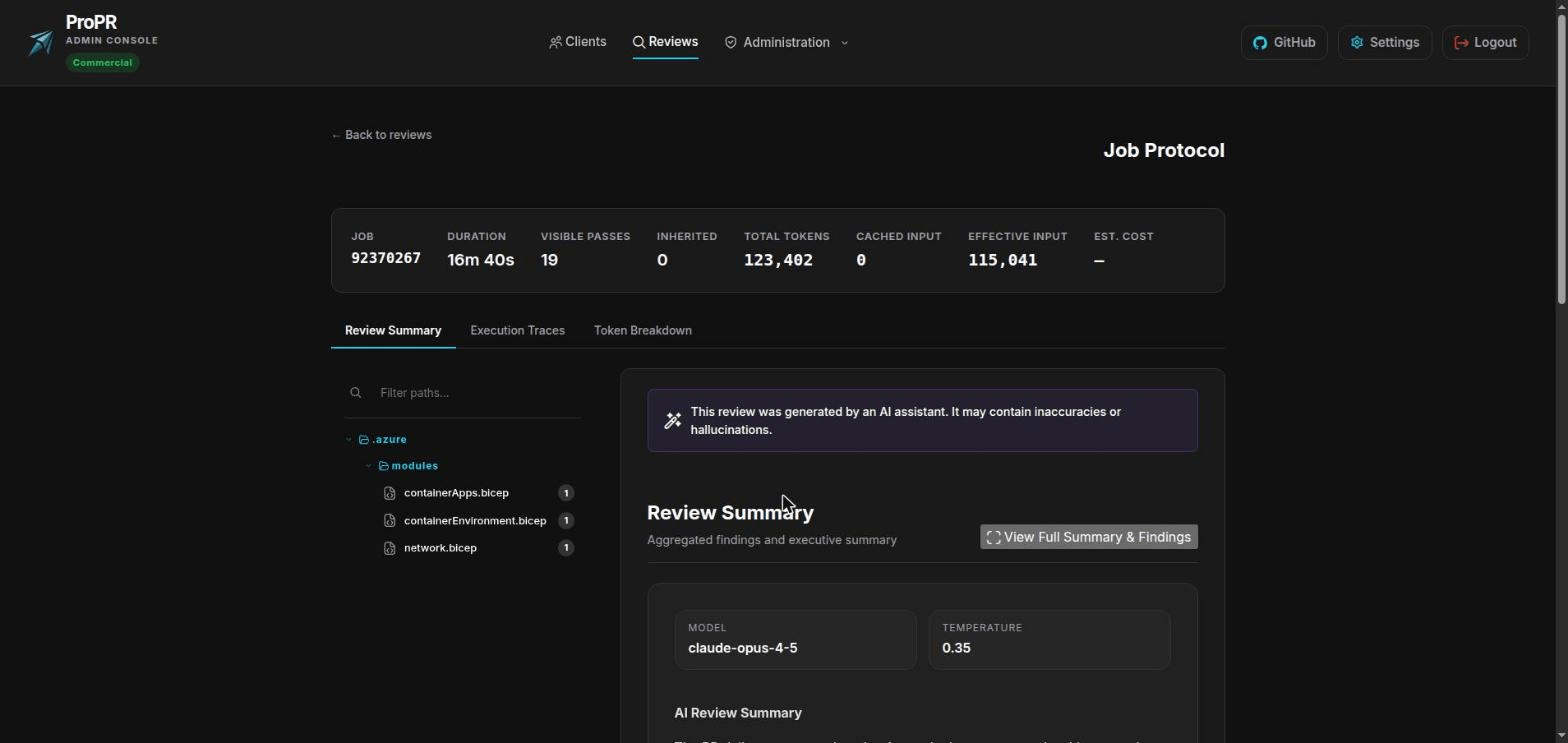
Every review fully accounted for, down to the results a re-review carried forward unbilled.
Where Your Source Code Goes
Self-hosting is a good start on this question but does not settle it, because an AI endpoint is a URL and a URL can point anywhere.
You can now state which AI services and which hostnames your organisation permits, and ProPR refuses everything else. The check runs when someone saves a configuration and again every time it is about to send code, so tightening the policy immediately covers what is already set up. Every change is recorded with who made it.
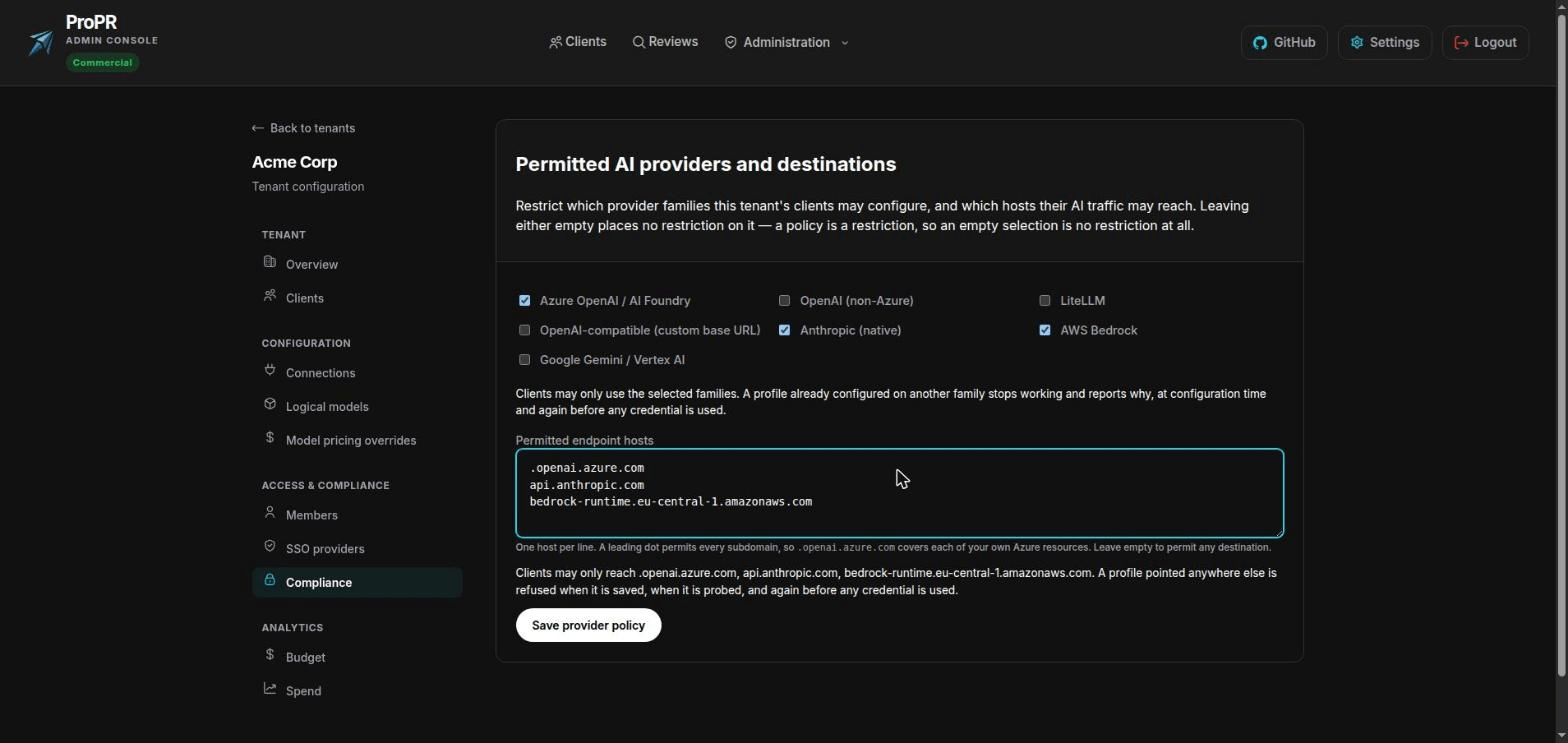
Name the only destinations your code may reach. This is the screen to bring to a security review.
Around it: credentials are encrypted, never shown again after saving, never written to logs, and never shared across teams. Reviews can run without posting anything at all while you evaluate. ProPR contacts no licence server and downloads nothing at runtime, so it works on a fully isolated network. The only things that leave are your source-control host and your AI provider, and the second one disappears if you host the model yourself.
Less Time Spent Administering It
Configuration grew a lot in three months, so part of this wave went on making it smaller to operate.
Each team’s settings, covering budgets, credentials, members, sign-on, compliance and spend, are now one workspace instead of five separate pages, and every section is directly linkable so a colleague can be sent to the right one. Reviews in flight can be stopped, restarted after a budget pause, or blocked entirely, without a support request to us.
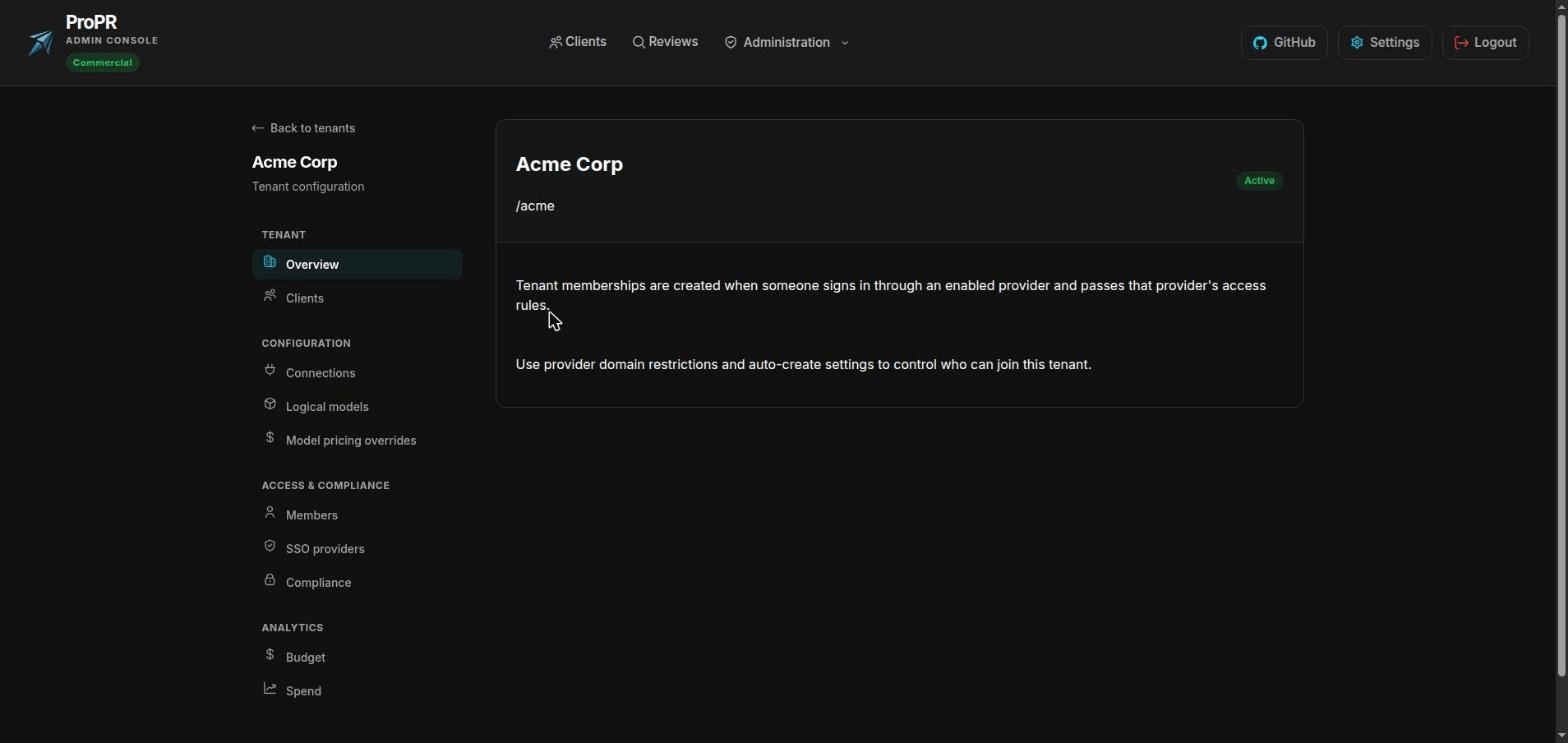
One workspace per team, with every section linkable.
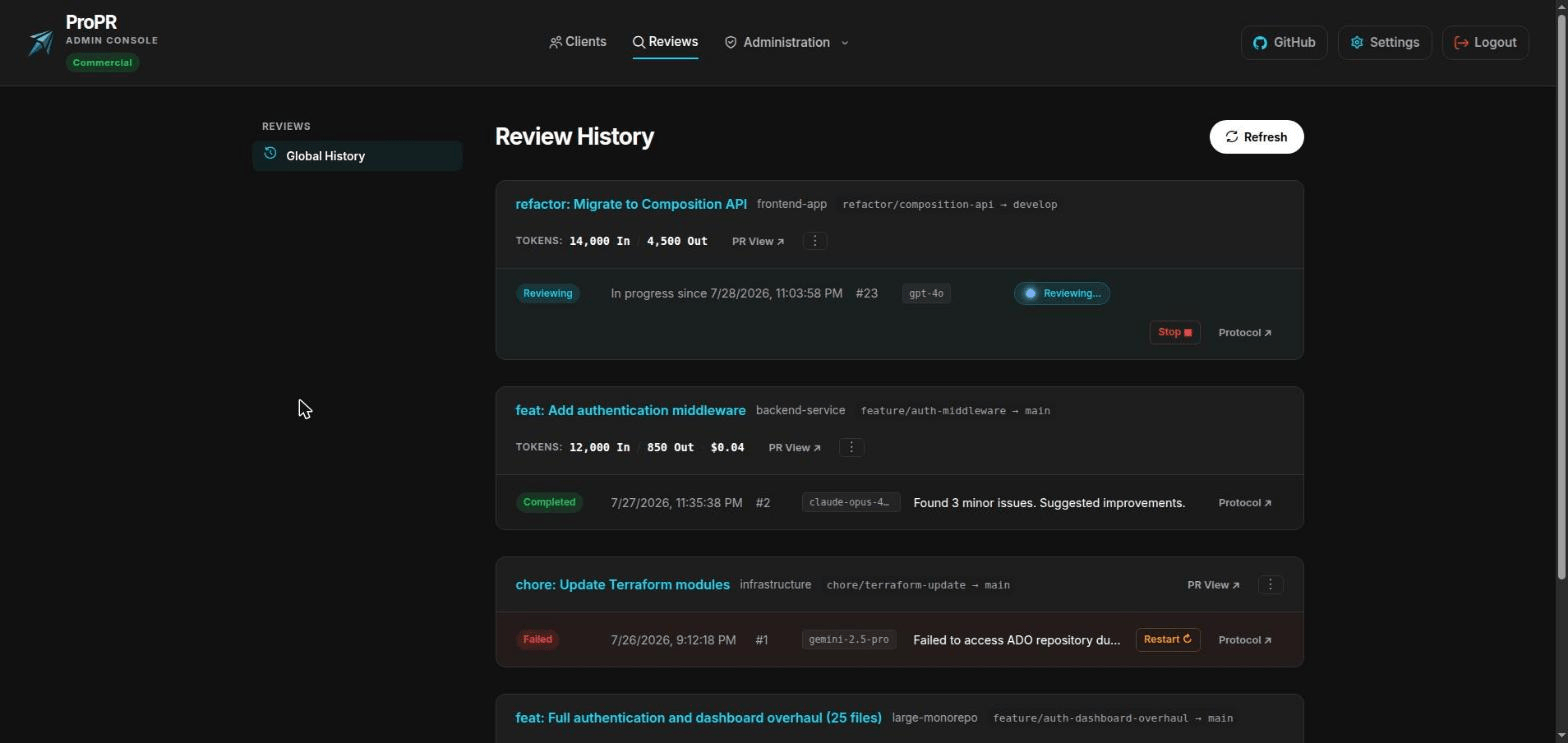
What each review cost, which model produced it, and the controls to intervene.
We also rewrote the documentation from scratch. It is now organised around the questions people arrive with, like how to make reviews cheaper, whether you can trial this without posting anything, where your code goes, and whether it installs offline.
What It Costs You
Reviewing is free, on all four source-control platforms and every AI provider. You can run ProPR in production, on your own infrastructure, without paying us anything.
An Enterprise licence adds what larger installations need: single sign-on, reviewing several pull requests at once, more than one source-control connection per team, scheduled repository sweeps, budget enforcement, and managing multiple isolated teams. Anything a licence would cover is shown as unavailable instead of hidden, so you can see what you would be buying, and letting a licence lapse deletes nothing. The pricing page lists the split in full.
Warning
Upgrading an existing deployment? Apply the included database migrations and keep the three image tags aligned. Back up the encryption key ring together with the database, because a database backup on its own is not a restorable install: stored credentials cannot be decrypted without the key ring. Then confirm each team’s AI settings still point at a model that exists before you enable automation in production. If you reach a model through a shared gateway today, connecting to that provider directly is worth doing for the caching discount alone.