Type something to search...
Meister Dev's Premier AI Reviewer

ProPR

Self-hosted AI pull request review for Azure DevOps, GitHub, GitLab, and Forgejo. Runs on the AI account you already have, within a monthly budget you set, and sends your code only where you allow it.

Faster reviews, at a cost you set

We do the heavy lifting & spot the hard to find issues. You do the final 10%.

Works with what you already have

No new AI vendor to onboard, no platform migration, and no lock-in if you change your mind later.

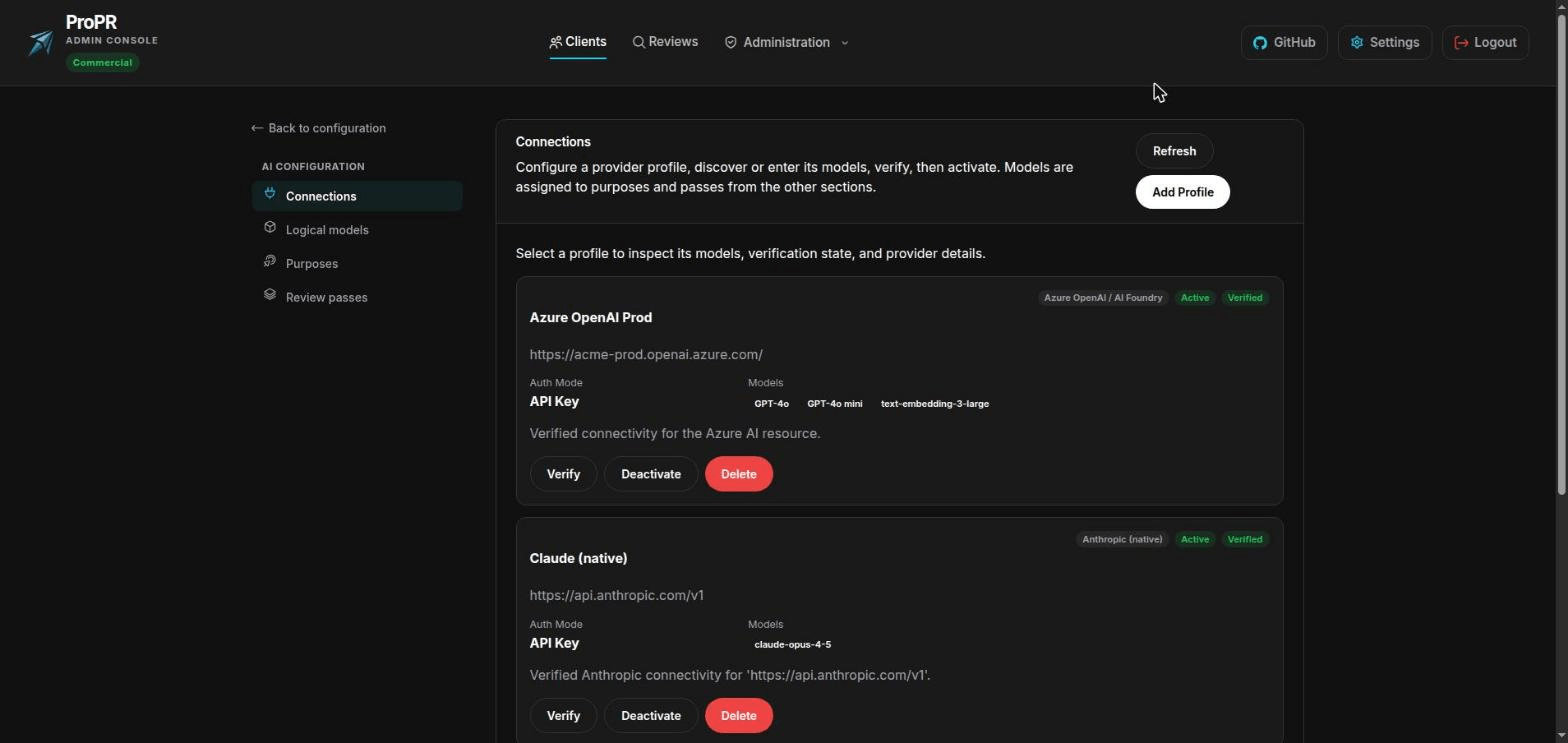
  • Every repository gets the same review, on Azure DevOps, GitHub, GitLab, or Forgejo
  • Runs on your existing AI account, or on a model you host yourself
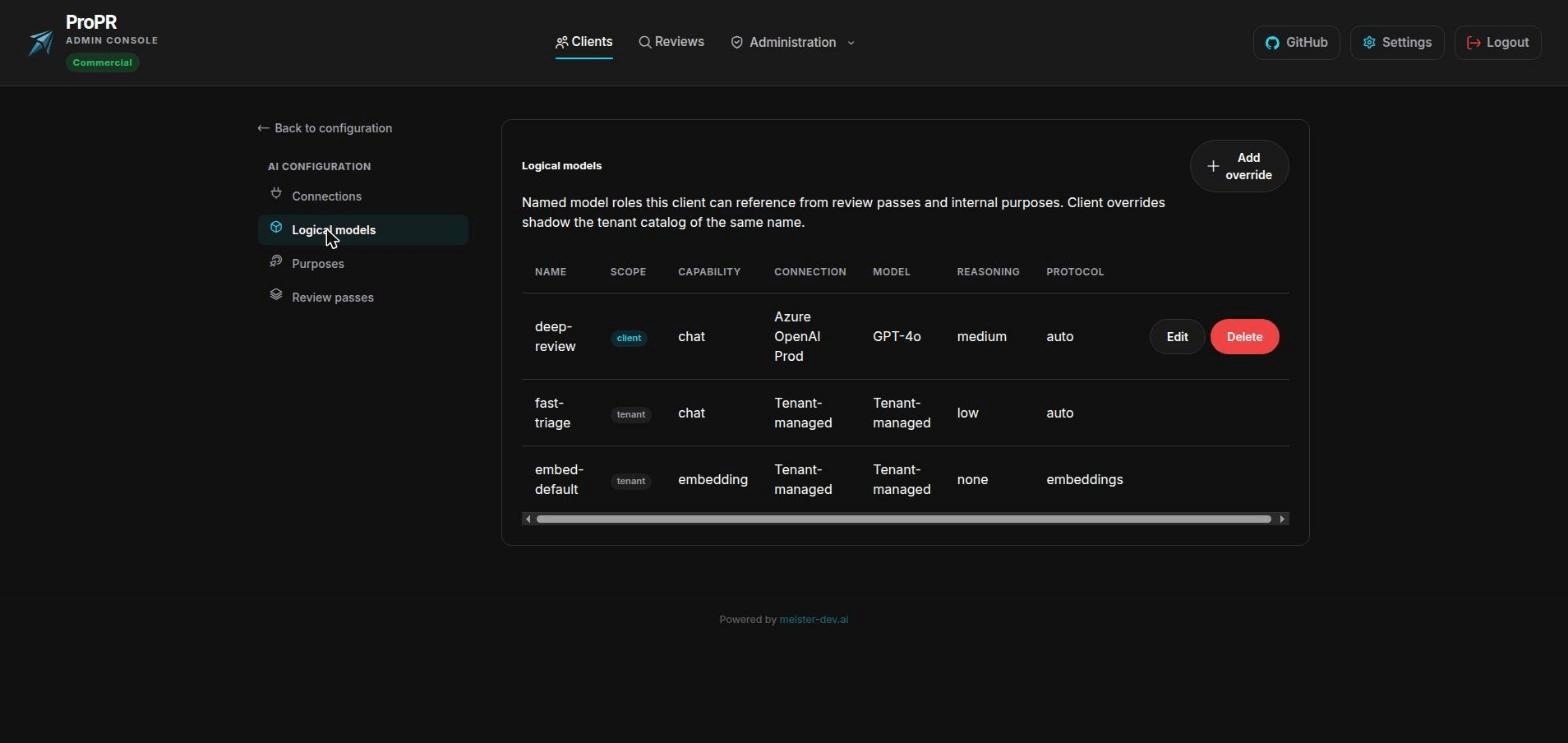
  • Changing AI provider takes one setting and no review reconfiguration
  • Reviews start on their own; there is no pipeline to write or maintain
  • Three containers and a database, on infrastructure you control

Cost visibility and enforcement

Decide the number up front and ProPR holds to it, which is usually what a finance sign-off needs.

  • Set a monthly amount ProPR will not exceed
  • Limit what a single pull request or a single review may cost
  • See what each review cost before the provider invoice arrives
  • Warnings arrive mid-period, while you can still act on them
  • Enter your negotiated rates so the figures match your bill

Findings your team trusts

A reviewer that repeats itself or guesses gets muted. This one is built to be worth reading.

  • Settled discussions stay settled; a rejected point is not reopened
  • Risky files get a dedicated security review
  • Findings are checked against your code before they reach the pull request
  • Uncertain observations go in the summary and stay out of the diff
  • You control how assertive the reviewer is and what it may post

Answers your security review

The questions a security team asks about an AI tool, and what ProPR can show them.

  • Your code goes to your source-control host and your own AI account
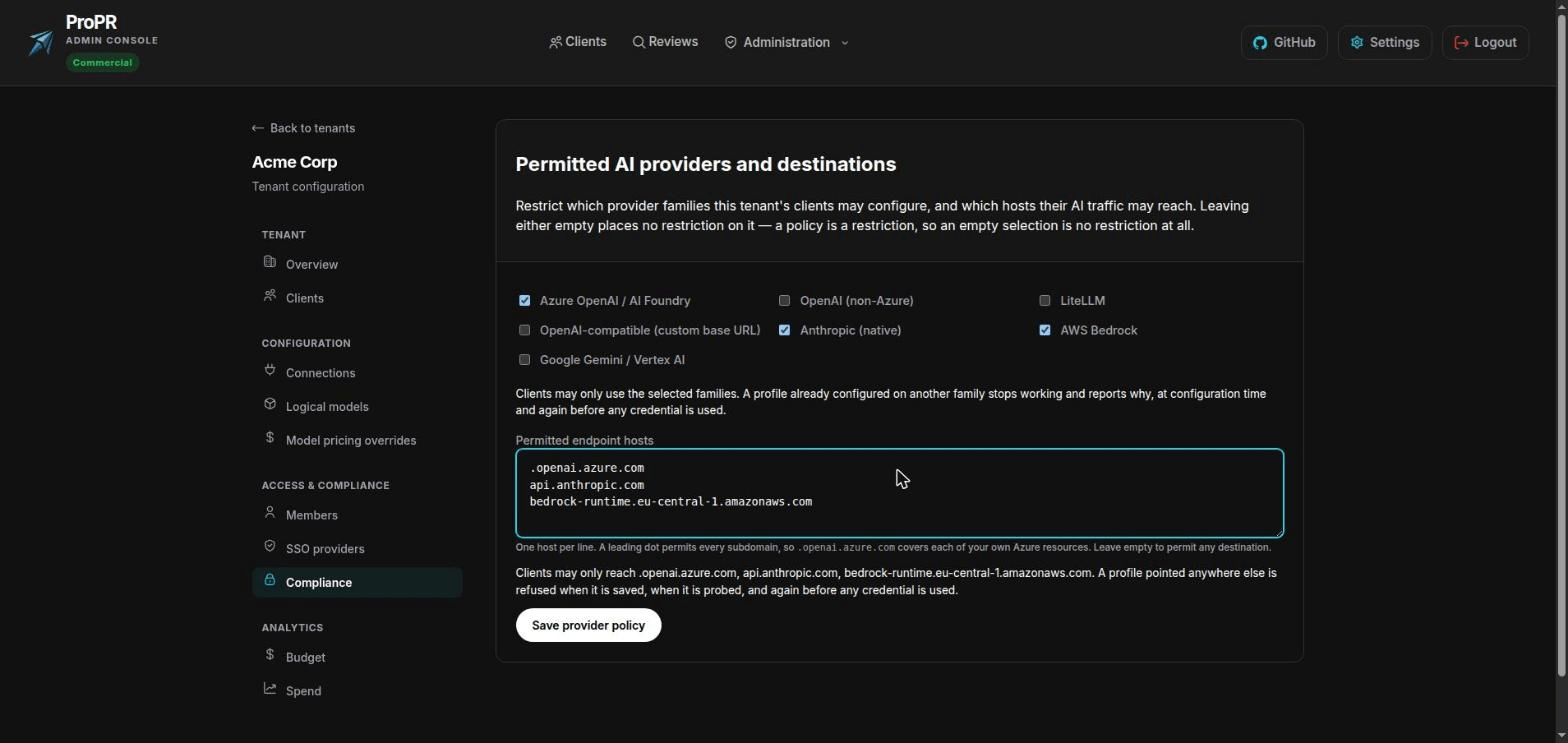
  • Name the only AI destinations your organisation permits, and enforce it
  • Credentials are encrypted, isolated per team, and never shown again
  • Every configuration change is recorded, with who made it
  • Runs on an isolated network with no internet access at all
01 / 04

Fits the stack you already run

One review standard across every repository, on the AI account your organisation already pays for.

Bring Your Own AI Account

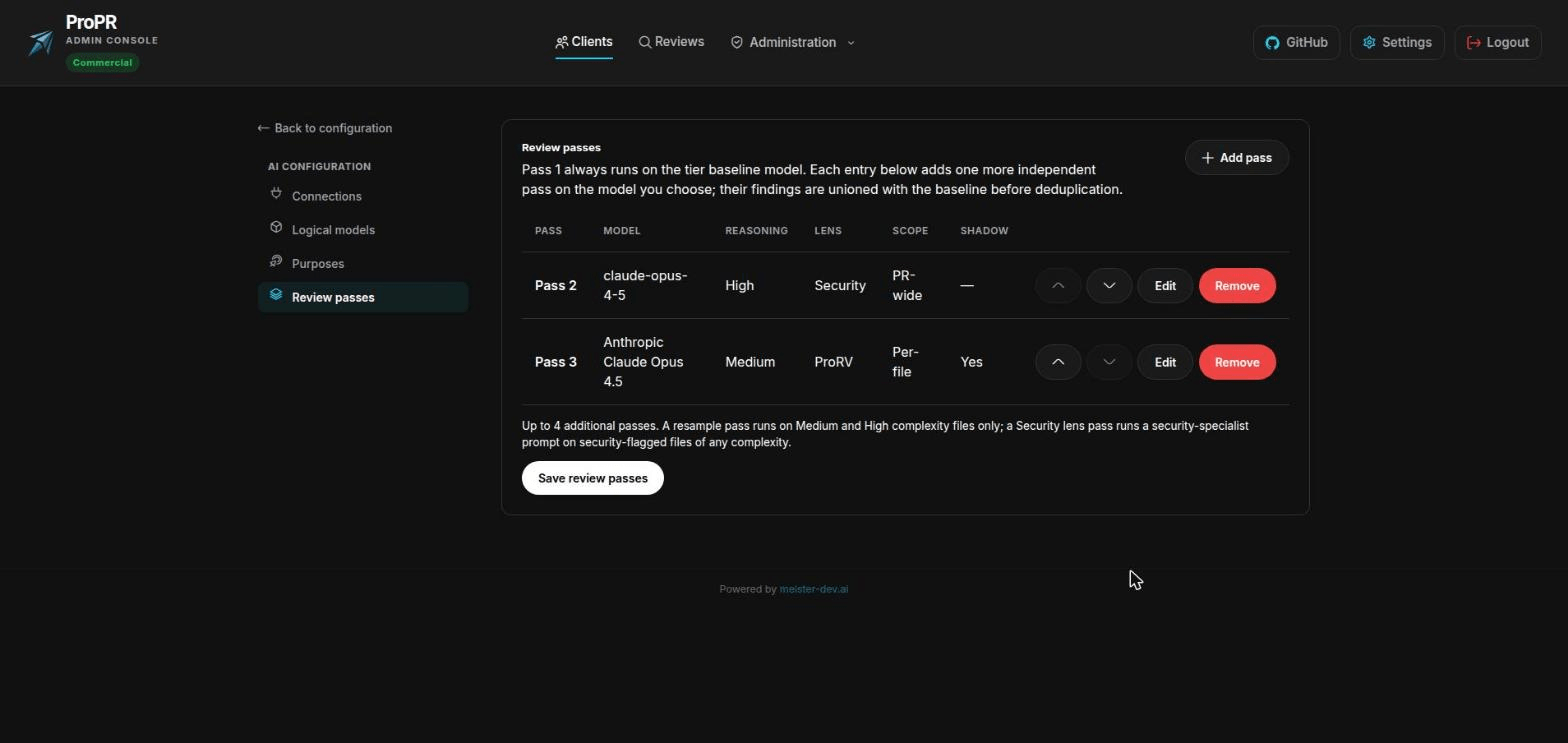
Use the AI provider your organisation already has a contract and a budget for: Azure OpenAI, OpenAI, Anthropic, AWS Bedrock, Google Vertex, or a model you host yourself. One team can run on one provider while another runs on a different one.

Bring Your Own AI Account

Change Provider Without Rebuilding Your Setup

Model choice is one setting, referred to by a name you pick. Moving a team to another vendor, because the pricing changed or a better model shipped, means repointing that name. Nothing else about how your reviews are configured has to change.

Change Provider Without Rebuilding Your Setup

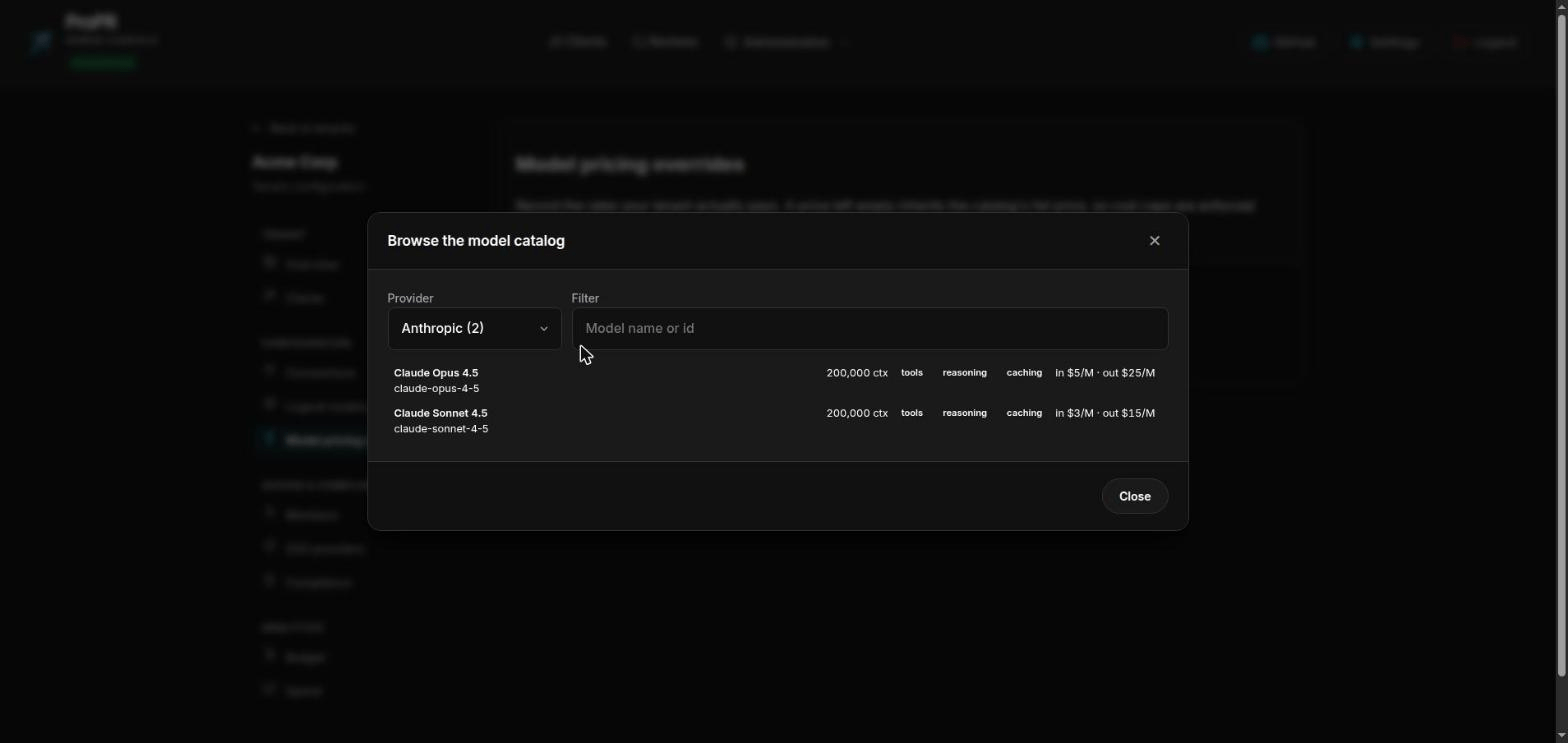
Cost Tracking Without The Data Entry

ProPR already knows what the common models cost and how much context they take, so spend reporting works the day you install it. Pick a model from the list and its details come with it, with no spreadsheet of token prices to maintain.

Cost Tracking Without The Data Entry

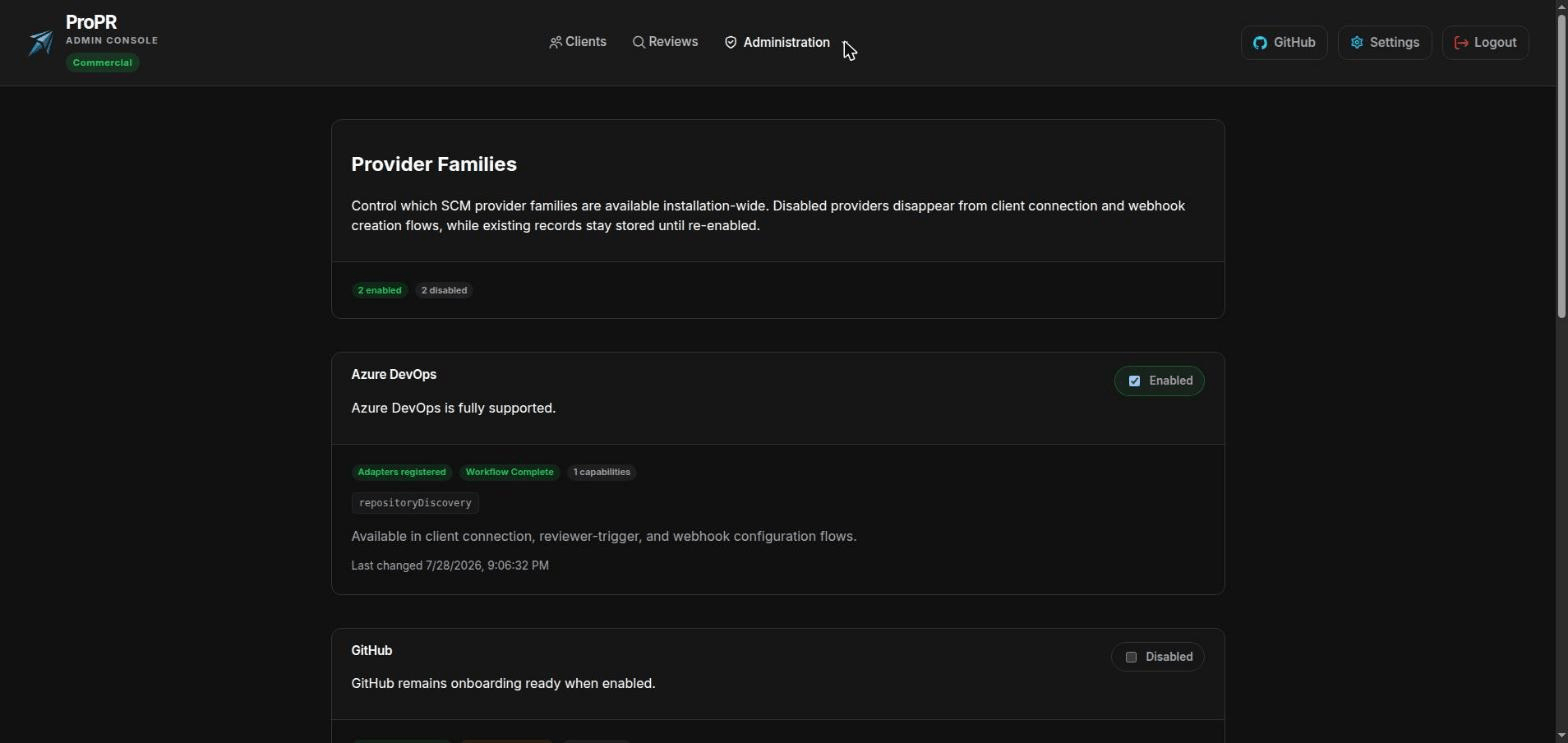
One Standard Across Every Repository

Azure DevOps, GitHub, GitLab, and Forgejo, cloud or self-hosted. Code quality stops depending on which platform a team happened to pick, and a platform administrator decides which hosts are available at all.

One Standard Across Every Repository
02 / 04

A budget you set in advance

Decide what review should cost per month, per pull request, or per run, then see and control it.

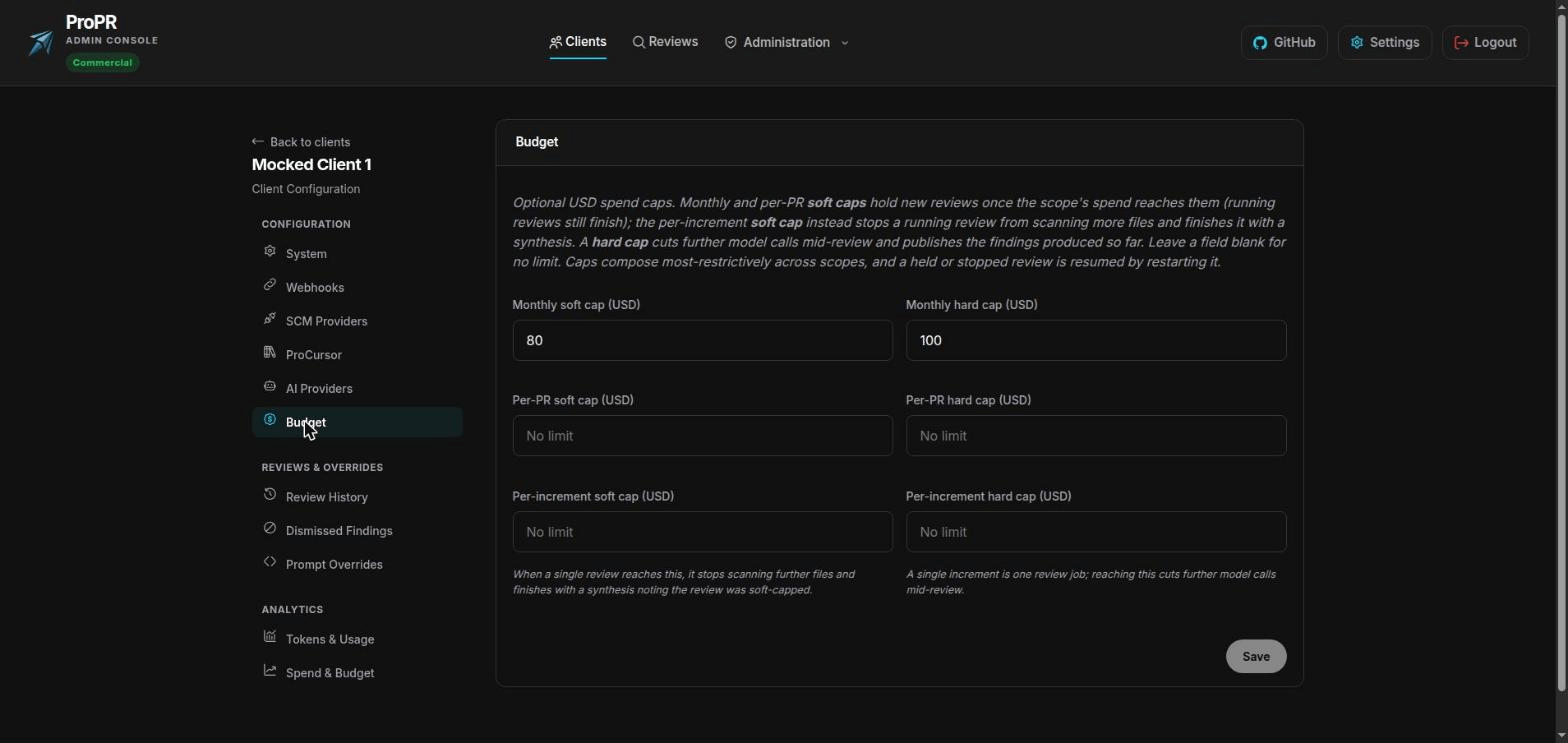
Set A Budget It Will Not Exceed

Give a team a monthly figure, a ceiling for any single pull request, and a ceiling for any single run. A soft limit pauses new reviews until budget frees up. A hard limit stops work in progress and publishes what it already found. Leave a field blank for no limit.

Set A Budget It Will Not Exceed

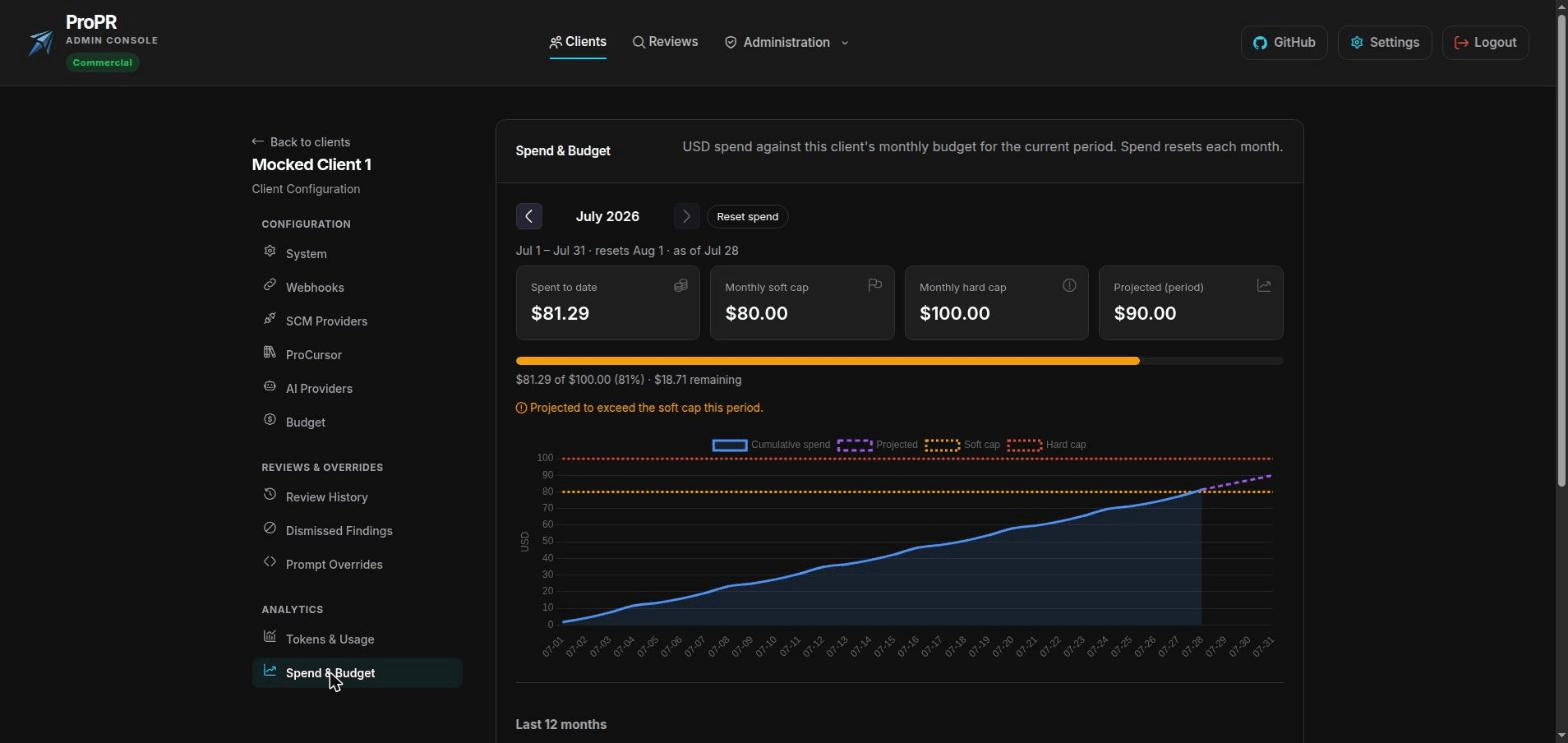
Know Where The Month Will Land

Spend so far, both limits, and a projection for the rest of the period on one chart. You get to plan around an overrun in week two, while there is still budget left to reallocate.

Know Where The Month Will Land

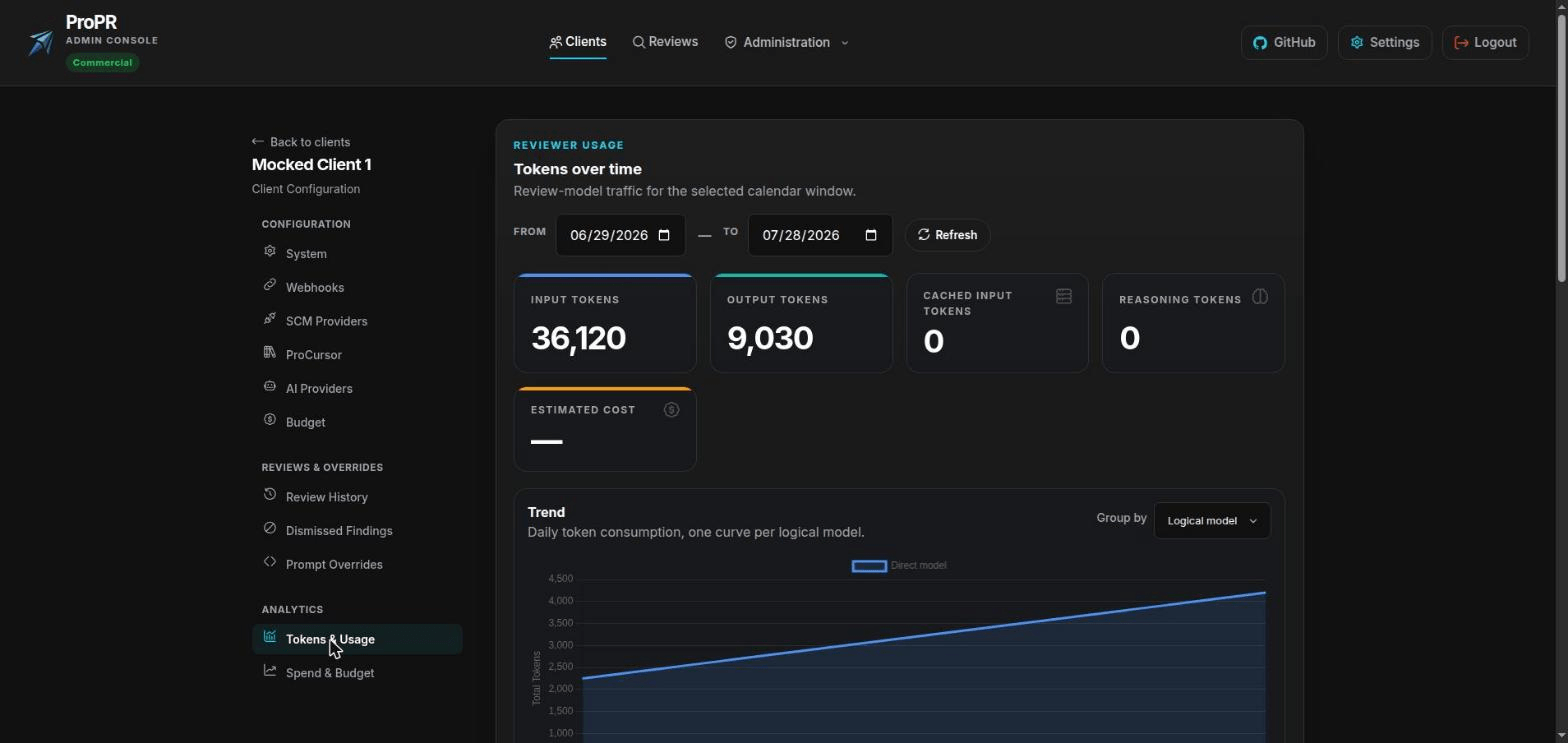
See What Reviews Cost

Cost and volume per team over any date range, broken down by which model did the work. Enter your negotiated rates and the figures match the invoice instead of the vendor's list price.

See What Reviews Cost

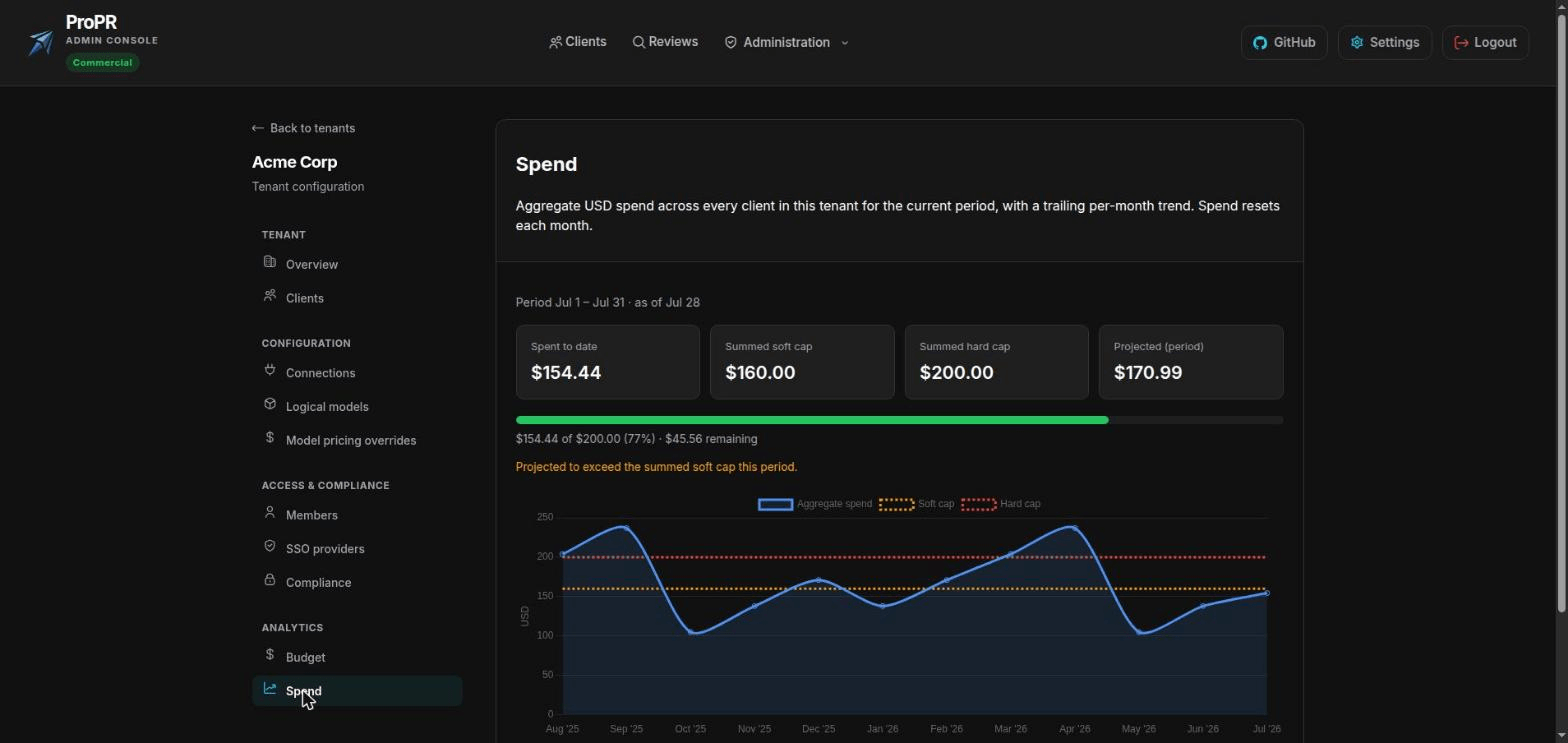
Roll Cost Up Across Teams

Total spend for every team in one view, against each of their budgets, with a twelve-month trend. Enough to answer what AI review costs the organisation without collecting numbers from each team.

Roll Cost Up Across Teams
03 / 04

Findings worth your team's attention

Deeper scrutiny where a change is risky, silence where it is not, and a record behind every comment.

A Security Review Where It Is Warranted

Risky files can be reviewed more than once, from a different angle, with a security specialist's brief and checks derived from CodeQL. You choose which model does it, and you can trial a new model on live pull requests without a word of it reaching your team.

A Security Review Where It Is Warranted

Settled Discussions Stay Settled

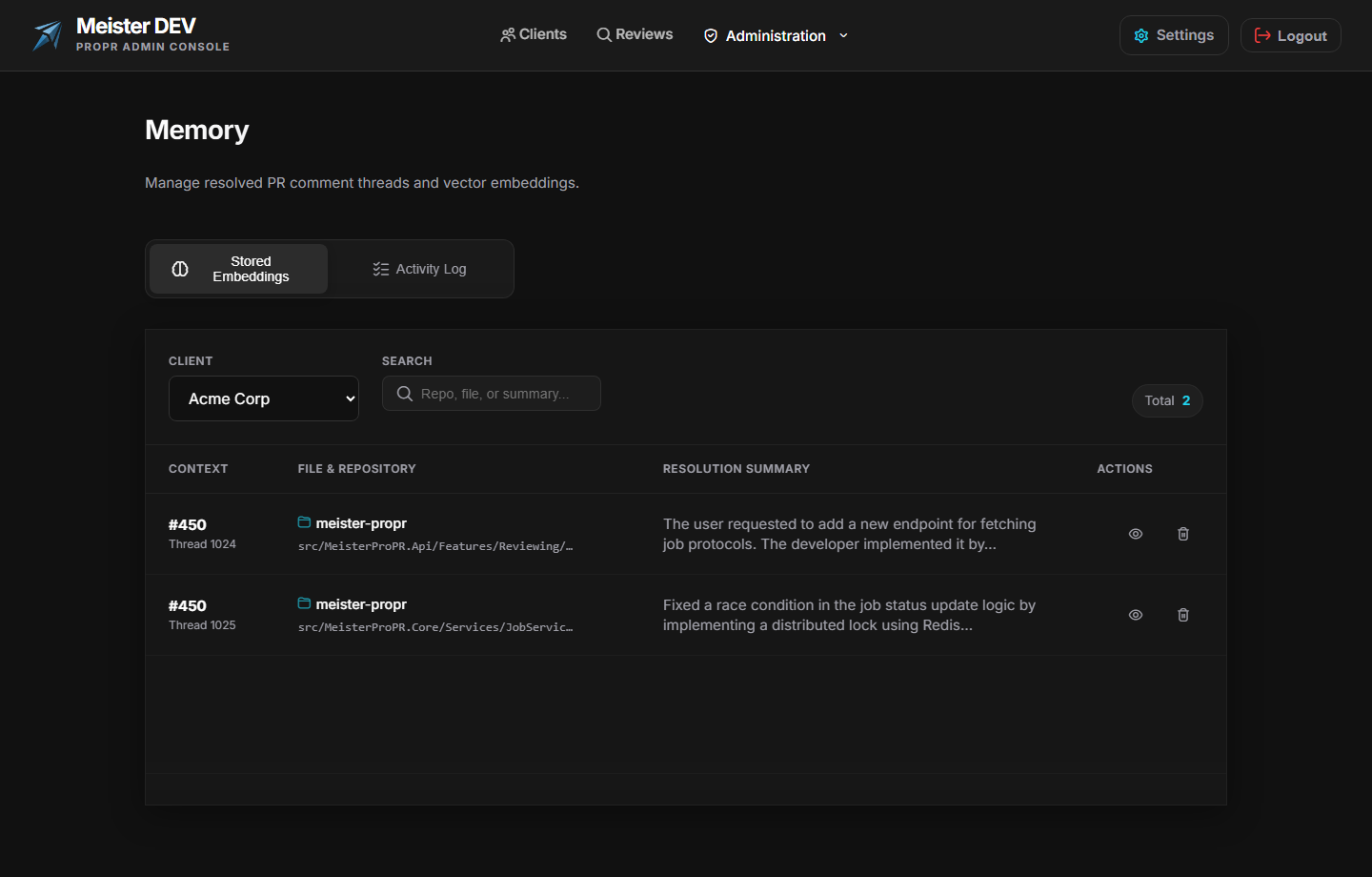
When your team resolves or dismisses a point, ProPR remembers the decision. The next push will not reopen it in slightly different words. Reviewers that do get muted within a fortnight.

Settled Discussions Stay Settled

Every Comment Has Its Reasoning On Record

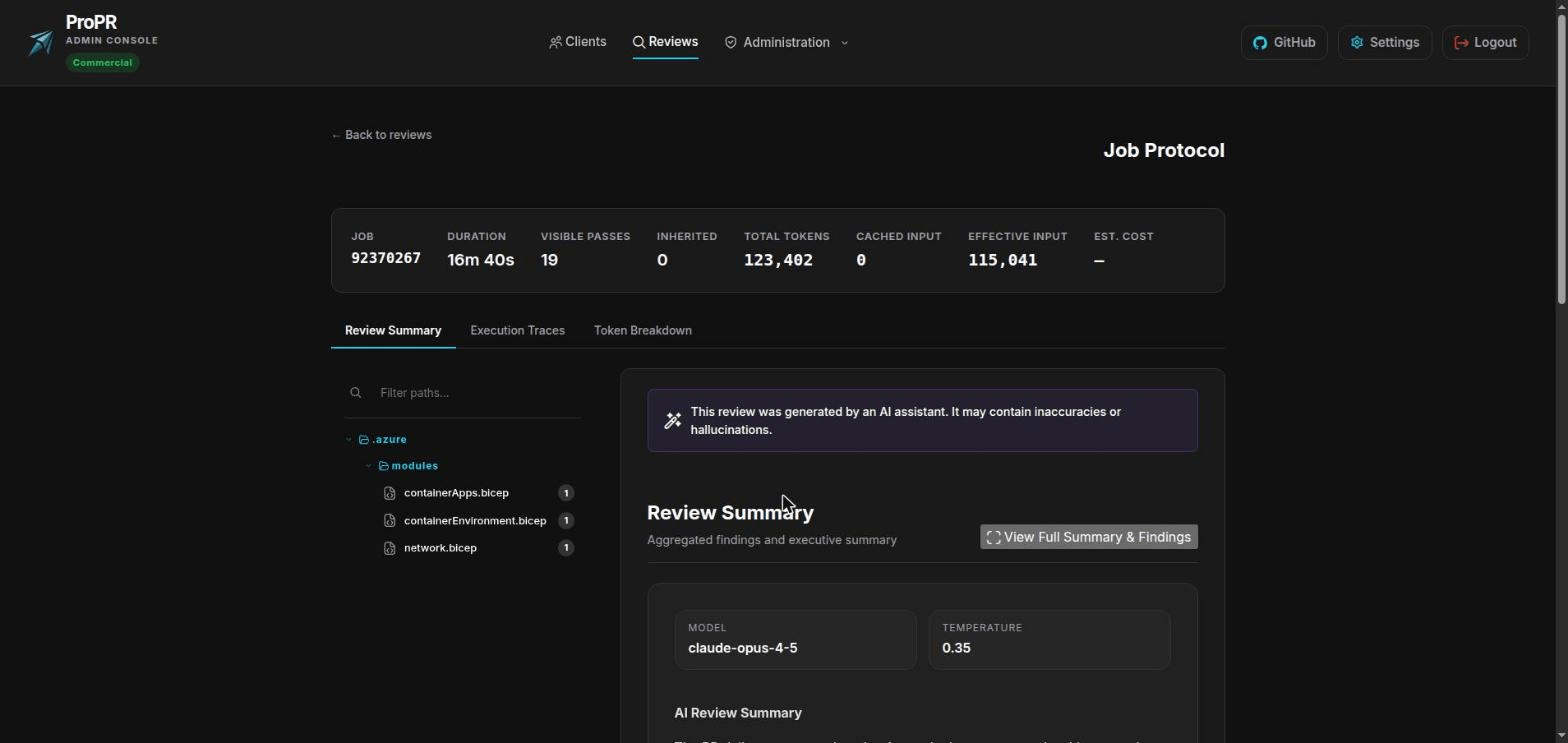
"Why did it say that?" has an answer. Each review keeps a full record of what it examined, what it found, what it chose not to post, and why, including what a re-review reused instead of paying to check again.

Every Comment Has Its Reasoning On Record

Adjust The Reviewer To Your Standards

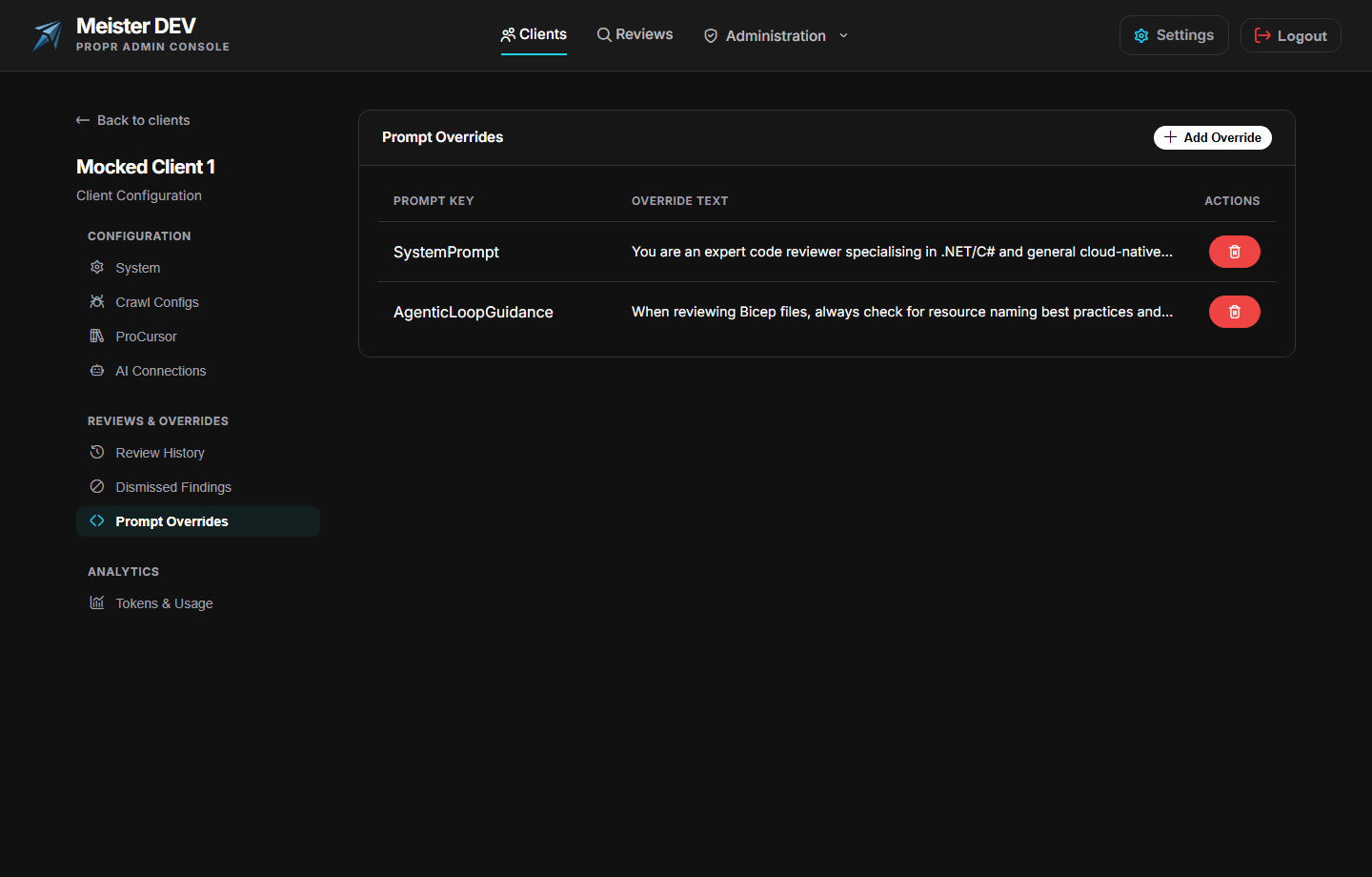
Set how assertive it is and what severity is worth posting, replace its instructions where your standards differ, or commit your conventions to a file beside the code so they apply only where they are relevant.

Adjust The Reviewer To Your Standards
04 / 04

Ready for the security conversation

Bound where your code may be sent, and keep the evidence that the boundary held.

Name The Only Destinations Your Code May Reach

State which AI services and which hostnames your organisation permits, and ProPR refuses anything else. The check runs when someone saves a configuration and again every time it is about to send code, so tightening the policy covers what is already set up.

Name The Only Destinations Your Code May Reach

Run Many Teams Without The Overhead

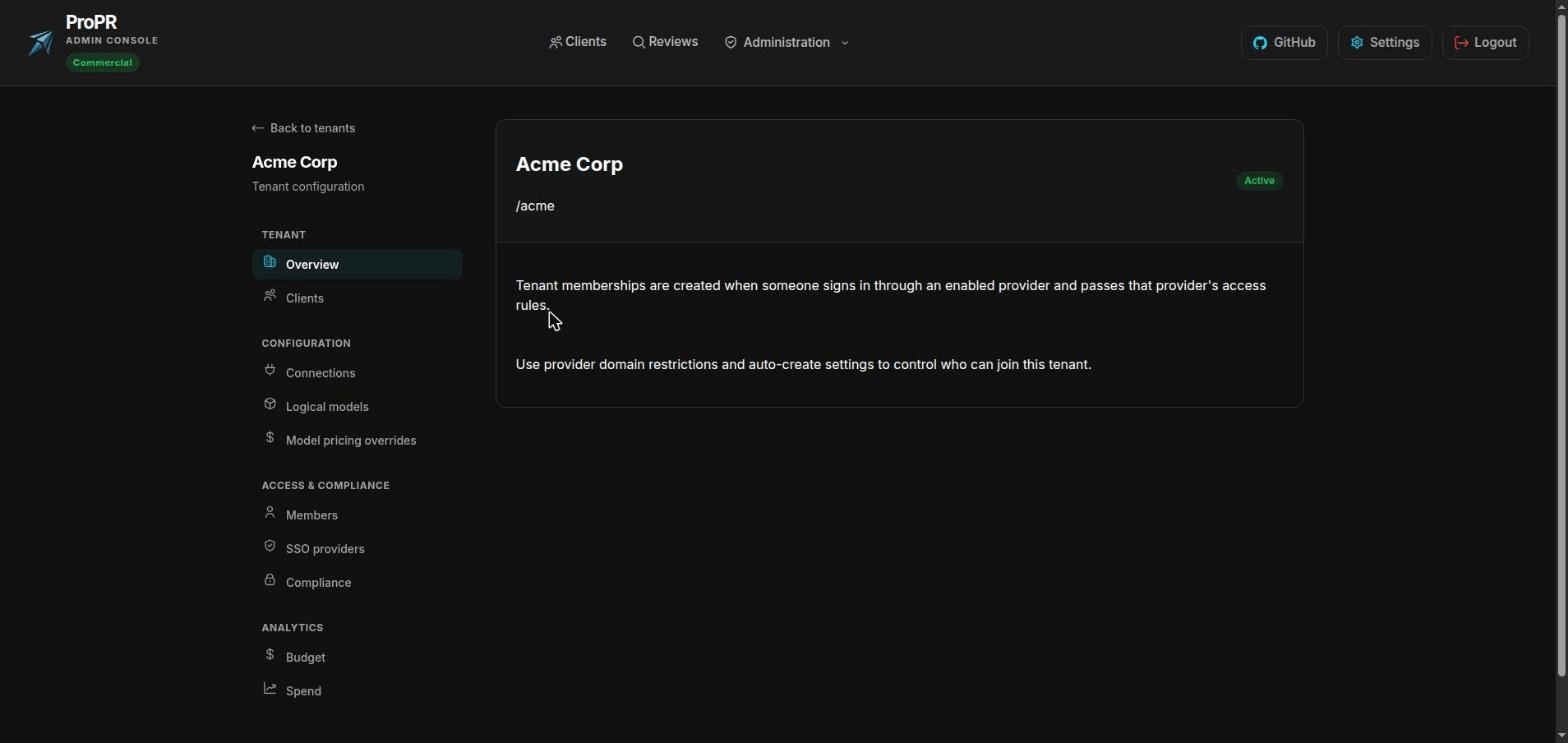
Each team gets isolated configuration, credentials, and budget, managed from one place. Agencies and platform groups can onboard a new client without a new deployment.

Run Many Teams Without The Overhead

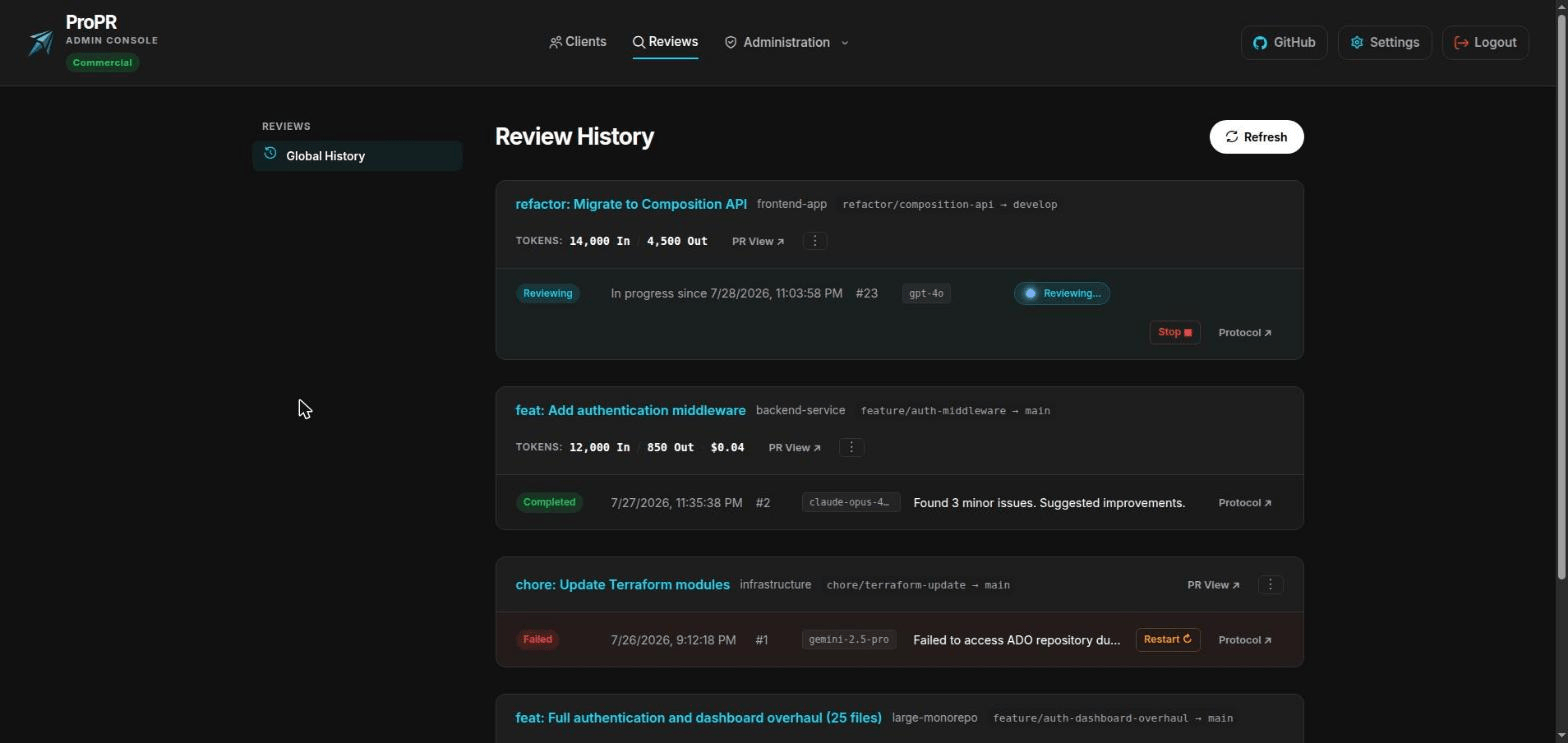
Stay In Control While Reviews Run

See what every review cost and which model produced it, stop one that is going wrong, restart one that was paused for budget, or exclude a pull request from review entirely.

Stay In Control While Reviews Run

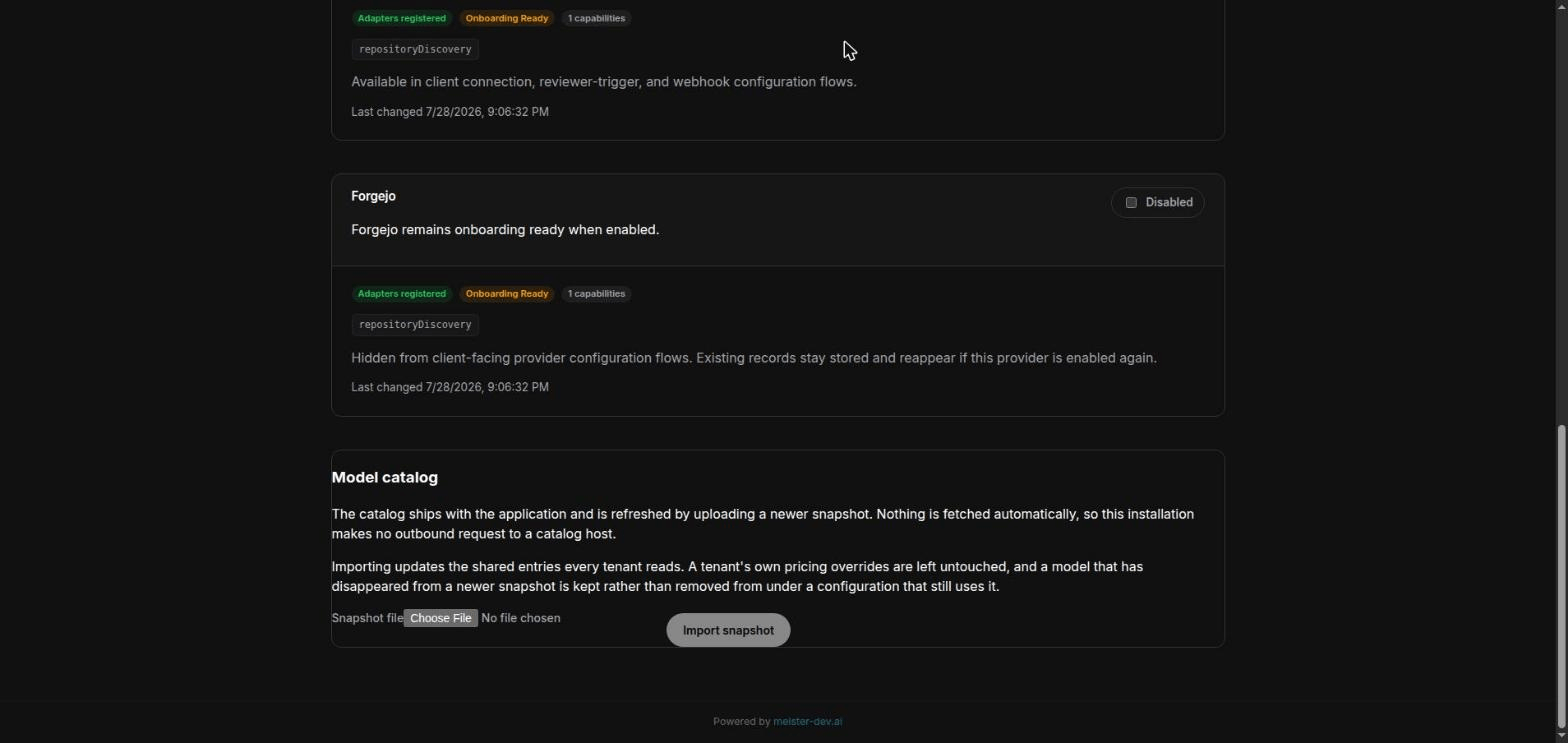
Stay Current On An Isolated Network

New models appear constantly, and an air-gapped install should not be stuck on last year's list. Update ProPR's knowledge of models by uploading a file, which keeps the refresh entirely inside your network and preserves your own pricing.

Stay Current On An Isolated Network

How ProPR Works

ProPR watches your repositories, and when a pull request opens or updates it reviews the change and posts its findings as threaded comments where your team already works. There is no pipeline to write. You connect a repository once from the admin console and reviews start on their own.

Behind that, it reads each changed file with the surrounding context it needs, checks its own findings against your code, and applies a consistent rule about what is worth interrupting a developer for. Uncertain or broad observations go into a summary, and only what it can support lands as an inline comment.

It runs as three containers and a PostgreSQL database on infrastructure you control. Your source code goes to your source-control host and to the AI account you configured, and it travels only between those two. Telemetry ProPR emits goes to collectors you point it at.

Info

No CI pipeline configuration required. Connect a repository, choose an AI account, set a budget, and ProPR handles discovery and review orchestration in the background.

Questions Buyers Usually Ask

No. Every model ProPR uses is referred to by a name you choose, and that name points at whichever provider and model you like. Moving a team to another vendor means changing where the name points; no review configuration, prompt, or team setting has to change with it.

The full range of providers works in the free edition.

Alongside the major providers, ProPR connects to anything serving a standard API at a URL you supply. That covers vendor APIs such as DeepSeek, Qwen, Mistral or xAI, aggregators such as OpenRouter, and models you run yourself with Ollama or vLLM.

Set a monthly amount, and optionally a ceiling per pull request and per individual run. ProPR prices every review as it happens, warns you when a period is trending over, and enforces the ceiling without anyone supervising it.

Two things make the numbers trustworthy: enter your negotiated rates rather than list prices, and let ProPR reuse results for files that did not change on a re-review, which it does by default.

Yes. ProPR contacts no licence server and downloads nothing at runtime. Everything it needs to know about models ships inside it and is updated by uploading a file. Mirror the three container images into your own registry and it runs entirely inside your network.

Two things still leave the boundary if you want them to: your source-control host, and your AI provider. Host the model yourself and nothing does.

Free And Enterprise Editions

Reviewing itself is free, as is the full range of AI providers and all four source-control platforms. You can run ProPR in production, on your own infrastructure, without paying us anything.

An Enterprise licence adds what larger installations need: single sign-on, reviewing several pull requests at once, more than one source-control connection per team, scheduled repository sweeps, budget enforcement, and managing multiple isolated teams. Anything a licence would cover is shown as unavailable instead of hidden, so you can see what you would be buying. Letting a licence lapse deletes nothing.

See what each edition includes.

Warning

Upgrading an existing deployment? Apply the included database migrations and keep the three image tags aligned. Back up the encryption key ring together with the database: a database backup on its own is not a restorable install, because stored credentials cannot be decrypted without the key ring. Then confirm each team’s AI settings still point at a model that exists before enabling automation in production.